
What Are the Benefits of Cloud Storage?
Cloud storage provides businesses with remote accessibility, cost efficiency, scalability, disaster recovery, seamless collaboration, automated maintenance, and enhanced security, making data management more flexible and reliable. These benefits particularly support remote-first businesses/enterprises, growing businesses, e-commerce platforms, big data platforms, the media industry, the tech and design industries, the healthcare sector, the finance sector, the legal sector, individual content creators, and remote workers. By storing data on secure remote servers accessible through the internet, organizations can reduce infrastructure costs, improve productivity, and support remote or hybrid work environments while protecting important business information from hardware failures, cyber threats, and unexpected disruptions.
Beyond basic storage, cloud storage also improves business continuity through automated backups, real-time file sharing, and scalable storage environments that adapt quickly to changing operational needs. Businesses can securely access files from any device, collaborate more efficiently across distributed teams, and reduce IT workloads through automated updates and maintenance. Advanced security features such as encryption, access controls, and continuous monitoring further strengthen data protection, making cloud storage a secure and efficient solution for organizations of all sizes.
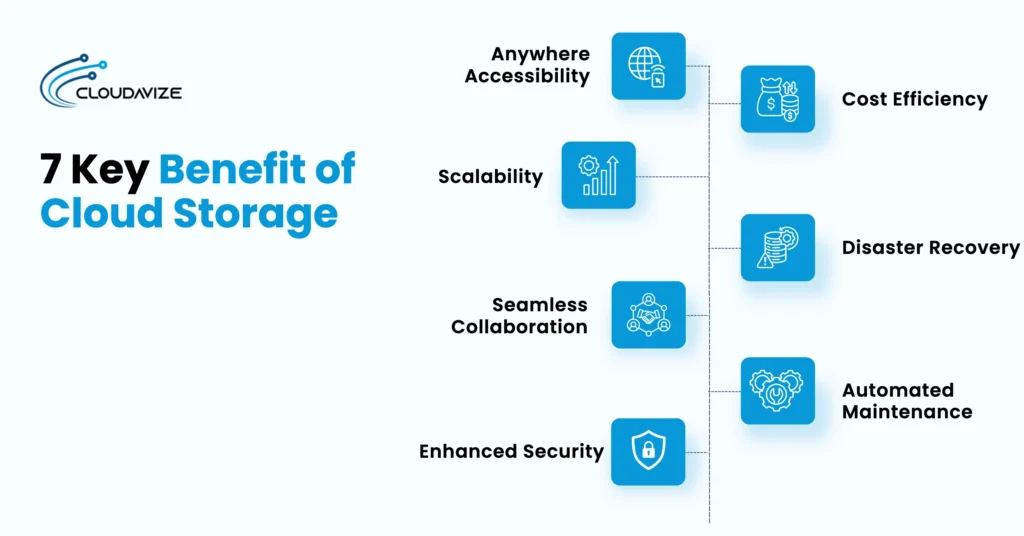
7 key benefits of cloud storage are:
- Anywhere Accessibility
- Cost Efficiency
- Scalability
- Disaster Recovery
- Seamless Collaboration
- Automated Maintenance
- Enhanced Security
Anywhere Accessibility
Users can access files from any device, such as a laptop, smartphone, or tablet, whenever they have an internet connection. This supports remote work and ensures teams can access important documents, whether in the office or on the move. Remote accessibility improves productivity by allowing employees to respond quickly, share updates instantly, and continue business operations without being limited to a single physical location or device.
Remote-first businesses, enterprises, and distributed teams in the tech and design industries benefit significantly, as team members can collaborate regardless of location. Individual content creators and remote workers can access creative assets on the go, while healthcare, finance, and legal professionals can securely retrieve sensitive records from multiple locations. E-commerce teams can update inventory or customer orders in real time. Media and big data platforms can efficiently handle large collaborative projects, ensuring seamless operations and faster decision-making. Anywhere accessibility allows organizations of all types to maintain productivity, reduce downtime, and respond immediately to business demands without being constrained by physical location or device type.
Cost Efficiency
Cloud storage uses a pay-as-you-go model, which eliminates the need for large upfront investments in hardware. SMBs pay only for the storage capacity they use, helping to control IT budgets and reduce unnecessary spending. Businesses also save money on equipment maintenance, server upgrades, energy consumption, and dedicated storage infrastructure, making cloud storage a more efficient and predictable long-term solution for managing growing business data.
Growing businesses, startups, and e-commerce platforms benefit by avoiding costly hardware purchases while scaling rapidly. Individual content creators and small design teams gain enterprise-grade storage without significant upfront investment. Even large enterprises in healthcare, finance, and media reduce operational expenses while ensuring secure, compliant data storage. Cost efficiency enables predictable budgeting, freeing resources for innovation, marketing, or strategic growth. Organizations can redirect funds toward core activities while maintaining flexibility to expand storage capacity as needed. This combination of reduced overhead and sustainable financial planning makes cloud storage a highly attractive solution for businesses of all sizes and sectors, including remote-first and creative industries.
Scalability
Businesses can quickly increase or decrease their storage capacity as needs change, without purchasing or installing new physical equipment. This flexibility supports growth and seasonal fluctuations in data storage requirements. Scalable cloud environments also help organizations adapt to changing workloads, support expanding teams, and efficiently manage large volumes of data without disrupting daily operations or requiring additional on-premises infrastructure.
Big data platforms, media companies, and tech industries particularly benefit from scalable cloud storage, as they regularly handle massive datasets. Growing businesses and e-commerce platforms can adjust storage during seasonal peaks without service disruption. Remote-first teams and individual content creators can scale storage according to project needs, avoiding wasted capacity. Healthcare and legal sectors with extensive document archives can securely and cost-effectively expand storage capacity. Scalability ensures that storage adapts instantly to organizational demands, supporting innovation, collaboration, and business continuity. It enables rapid response to changing workloads, seamless project execution, and flexible infrastructure management, ensuring organizations remain agile while optimizing costs and performance.
Disaster Recovery
Cloud storage services provide off-site, automated backups that protect data from local hardware failures, theft, or natural disasters. This ensures that critical information remains safe and recoverable even if the primary location is compromised. Reliable disaster recovery capabilities reduce downtime, support business continuity, and enable organizations to restore critical files quickly after unexpected incidents, minimizing operational disruptions and reducing the risk of permanent data loss.
Enterprises, healthcare providers, and finance institutions gain peace of mind knowing critical data is safeguarded against disasters. Media, tech, and e-commerce companies can avoid costly project delays and protect revenue streams. Legal firms benefit from secure, compliant archives that can be restored instantly when needed. Individual content creators and remote workers reduce the risk of losing creative work. Multi-region redundancy, automated failover, and real-time replication ensure rapid restoration. Disaster recovery through cloud storage protects both operational continuity and intellectual property. It enables organizations across industries to maintain client trust, comply with requirements, and minimize downtime during unexpected events or system failures, safeguarding both productivity and reputation.
Seamless Collaboration
Cloud storage improves communication among remote teams, departments, and external partners by providing a centralized workspace that instantly synchronizes updates, making collaboration faster, more organized, and more efficient across locations and devices. Multiple users can access, edit, and share files in real time, often with built-in version control. This streamlines teamwork and reduces the risk of working with outdated documents.
The tech, design, and media industries see the greatest benefit, enabling real-time collaboration on large creative assets. Remote-first businesses and global teams in finance, healthcare, and legal sectors can securely share sensitive documents. E-commerce teams coordinate campaigns, inventory updates, and product launches efficiently. Individual content creators can collaborate seamlessly with freelancers or clients. Features like version tracking, role-based access, and activity logs prevent errors and miscommunication. Centralized collaboration accelerates project delivery, improves transparency, and strengthens team coordination. Cloud storage ensures that, regardless of location or device, teams can work together effectively, maintaining productivity, reducing bottlenecks, and delivering higher-quality outputs without sacrificing security or control.
Automated Maintenance
Automated maintenance improves system performance and reliability by ensuring infrastructure stays up to date with the latest features, security protections, and operational improvements, without requiring businesses to manage complex hardware or software maintenance manually. MSPs handle routine maintenance tasks, including security patching, continuous monitoring, and system updates. This reduces the workload on internal IT teams and helps maintain reliable data storage environments.
Growing businesses, enterprises, and tech companies benefit from reduced IT burdens, freeing staff to focus on innovation rather than upkeep. Media, e-commerce, healthcare, and legal sectors maintain compliance and uninterrupted operations thanks to automated monitoring. Individual creators and remote workers enjoy consistent access without downtime or manual intervention. Continuous updates and optimization prevent performance issues while ensuring security standards are upheld. Automated maintenance reduces human error, ensures system reliability, and enables organizations to operate more efficiently. By offloading routine tasks, cloud storage provides a stable, high-performing environment that scales seamlessly with organizational needs, supporting productivity and business continuity across all sectors.
Enhanced Security
Automated maintenance improves system performance and reliability by ensuring infrastructure stays up to date with the latest features, security protections, and operational improvements, without requiring businesses to manage complex hardware or software maintenance manually. MSPs handle routine maintenance tasks, including security patching, continuous monitoring, and system updates. This reduces the workload on internal IT teams and helps maintain reliable data storage environments.
Growing businesses, enterprises, and tech companies benefit from reduced IT burdens, freeing staff to focus on innovation rather than upkeep. Media, e-commerce, healthcare, and legal sectors maintain compliance and uninterrupted operations thanks to automated monitoring. Individual creators and remote workers enjoy consistent access without downtime or manual intervention. Continuous updates and optimization prevent performance issues while ensuring security standards are upheld. Automated maintenance reduces human error, ensures system reliability, and enables organizations to operate more efficiently. By offloading routine tasks, cloud storage provides a stable, high-performing environment that scales seamlessly with organizational needs, supporting productivity and business continuity across all sectors.
What Are the Benefits of Cloud Backup?
The main benefits of cloud backup include off-site redundancy and security, automated convenience, instant accessibility, scalability, and cost efficiency. Cloud backup protects business data in secure remote locations, automatically backs up data, and allows users to restore files from any device with an internet connection. It also supports flexible storage growth without additional hardware, helping organizations reduce operational risks, improve data security, and strengthen disaster recovery and business continuity planning.
The 7 primary benefits of cloud backup are:
- Off-site redundancy and security
By storing backup data in geographically separate data centers, cloud backup protects businesses from local risks such as fires, floods, theft, and hardware failures. Enterprises in healthcare, finance, and legal sectors gain regulatory-compliant protection, while media, tech, and big data platforms safeguard operational and creative assets. Remote-first businesses and e-commerce teams benefit from uninterrupted operations, and individual content creators can preserve valuable project files. Reliable backup ensures minimal downtime and maintains productivity during unexpected disruptions. - Automated convenience
Cloud backup automatically performs scheduled or continuous backups, reducing human error and ensuring files are consistently protected without interrupting daily operations. Growing businesses, midmarket enterprises, and remote-first teams save IT time, while media, tech, and creative industries automatically protect large, complex projects. Healthcare, finance, and legal sectors maintain up-to-date, secure records, and individual content creators can focus on work without worrying about manual backups. - Instant accessibility
Employees can securely access and restore files from any internet-connected device, helping businesses recover quickly from accidental deletions, device failures, or cyber incidents. Remote-first businesses, distributed teams, and content creators can retrieve files from anywhere. E-commerce, media, and tech teams maintain collaborative workflows, while healthcare, finance, and legal professionals can securely access sensitive information. - Scalability
Cloud backup allows storage capacity to scale up or down as needed, supporting seasonal workloads and business expansion. Media, tech, and big data platforms benefit from scalable environments for large datasets, while growing businesses and e-commerce teams adjust storage during peak periods. Healthcare and legal sectors with extensive archives maintain secure, flexible storage. Remote-first teams and content creators can scale resources efficiently without overprovisioning. - Cost efficiency
Cloud backup operates on a usage-based model, reducing infrastructure expenses and minimizing hardware maintenance. Growing businesses, remote-first teams, and media or tech companies optimize IT spending while maintaining secure storage. The healthcare, finance, and legal sectors reduce costs without compromising compliance. E-commerce platforms and individual content creators benefit from predictable expenses, enabling strategic reinvestment in operations and creative projects.
What Are the Benefits of Cloud Services?
The main benefits of cloud services include cost-efficiency, scalability, automated maintenance, advanced security, usability, accessibility, and seamless collaboration. Cloud services help businesses reduce infrastructure costs, access resources on demand, improve remote productivity, and strengthen data protection. They also simplify IT management through automated updates and allow teams to securely access, share, and manage applications and files from virtually any location with an internet connection.
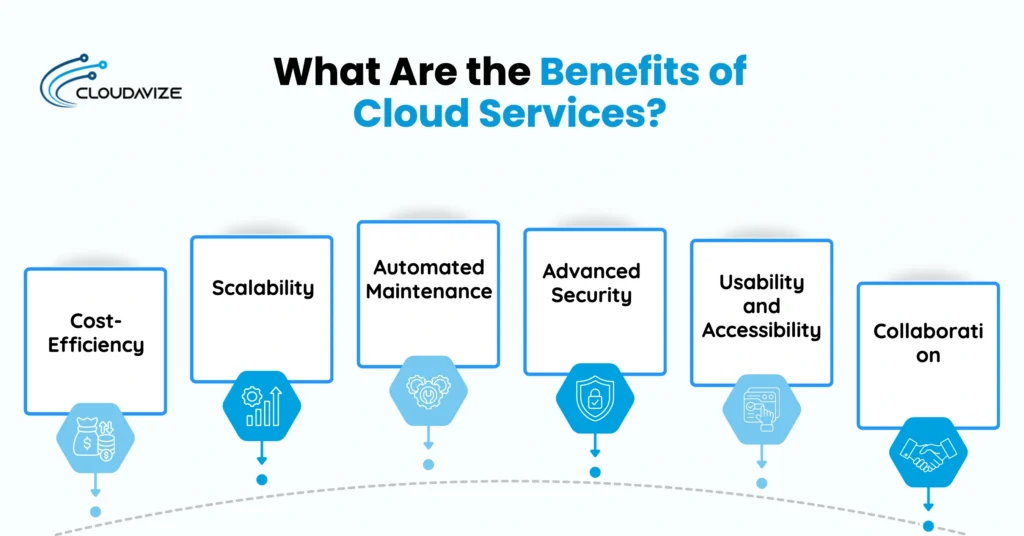
Below are 6 key benefits of cloud services:
- Cost-Efficiency
Rather than investing heavily in physical servers and infrastructure, cloud services allow businesses to use computing resources through flexible, usage-based operational models. This reduces unnecessary IT spending and helps remote-first businesses manage budgets more efficiently. Lower hardware maintenance requirements, reduced energy consumption, and simplified infrastructure management also contribute to long-term operational savings while giving businesses access to enterprise-level technology without major upfront investments. - Scalability
One of the biggest advantages of cloud services is the ability to scale resources instantly as business requirements change. Growing businesses can quickly scale storage, computing power, or application capacity during periods of high demand and scale back resources when workloads decrease. This flexibility supports business growth, seasonal operations, and changing workloads without requiring companies to purchase, install, or maintain additional physical infrastructure. - Automated Maintenance
Instead of relying on internal teams to manage routine system upkeep, cloud service providers automatically handle software updates, security patches, performance monitoring, and infrastructure maintenance. Automated maintenance reduces administrative burdens on IT departments and helps ensure systems remain secure, stable, and optimized. This allows tech companies to focus more on innovation, strategic projects, and business development rather than spending time managing complex technical environments. - Advanced Security
Cloud services include advanced security technologies designed to protect sensitive business information from cyber threats and unauthorized access. Features such as encryption, multi-factor authentication, access controls, automated threat detection, and continuous monitoring help strengthen data protection across cloud environments. Managed Service providers offering cloud services also support compliance and secure data management practices, helping financial institutions reduce security risks while maintaining customer trust and operational reliability. - Usability and Accessibility
Through cloud services, employees can securely access applications, files, and business systems from laptops, smartphones, tablets, or desktop devices connected to the internet. This accessibility supports remote and hybrid work environments while improving productivity and operational flexibility. Remote-first businesses particularly benefit from this, as their teams can stay connected across multiple locations. Easy access to cloud-based tools also helps streamline workflows, improve communication, and ensure employees remain connected to important resources regardless of their location. - Collaboration
Modern cloud platforms allow multiple users to access, edit, and share files simultaneously in real time without creating version conflicts. Teams can collaborate more efficiently on documents, presentations, spreadsheets, and shared projects across different departments or locations. Media companies particularly benefit from this, as collaborative workflows on large creative files are streamlined. Centralized cloud environments also improve communication, accelerate decision-making, and help organizations maintain consistent workflows by ensuring employees always work with the latest version of business files and data.
What Are the Benefits of Cloud Provisioning?
Cloud provisioning delivers on-demand speed, cost efficiency, automation, and agility, and optimized resource management for modern businesses. It also allows SMBs to deploy computing resources quickly, scale infrastructure based on operational needs, and reduce manual IT workloads through automation. It also helps businesses improve efficiency, avoid unnecessary infrastructure costs, and maintain flexible cloud environments that can rapidly adapt to changing business demands and workloads.
Here are 4 key benefits of cloud provisioning:
- On-Demand Speed
With cloud provisioning, small and mid-sized businesses can allocate computing power, storage, and network resources within seconds, rather than waiting for physical hardware installation and configuration. E-commerce platforms benefit from rapid deployment, allowing them to launch new applications, expand operations, and respond to market demands efficiently. Faster provisioning reduces delays in development, testing, and operations, enabling more responsive and flexible IT environments. - Cost Efficiency
Cloud provisioning improves cost efficiency by eliminating large upfront hardware expenses and reducing ongoing infrastructure maintenance costs. Remote-first businesses can deploy computing resources based on current operational demands without investing in excess infrastructure. This flexible usage model helps control IT spending, optimize resource utilization, and avoid unnecessary operational waste, supporting scalable and cost-effective operations. - Automation and Agility
Businesses can improve IT agility and streamline operations through automated cloud provisioning processes. Media companies benefit from automated templates, scripts, and provisioning tools that reduce manual configuration, minimize setup errors, and ensure consistent infrastructure deployment. Increased operational agility enables organizations to rapidly adapt cloud resources to changing business needs, supporting faster innovation, improved workflow efficiency, and more responsive IT operations. - Optimized Resource Management
Cloud provisioning supports dynamic scaling, allowing organizations to scale resources up during peak demand and down when workloads decrease. Big data platforms particularly benefit from this, as flexible resource allocation improves efficiency, prevents overprovisioning, and ensures optimal system performance. Optimized resource management supports better workload distribution and more reliable operations while minimizing waste of storage, computing power, or network capacity amid changing business conditions.
What Are the Benefits of Private and Public Cloud Storage?
Private cloud storage provides stronger security, compliance, and dedicated performance for a single organization, while public cloud storage delivers scalability, accessibility, and reduced infrastructure management through third-party providers shared across multiple users. Together, these two storage solutions give businesses the flexibility to choose an environment that best aligns with their security requirements, budget, and operational goals.
Public Cloud Storage Benefits
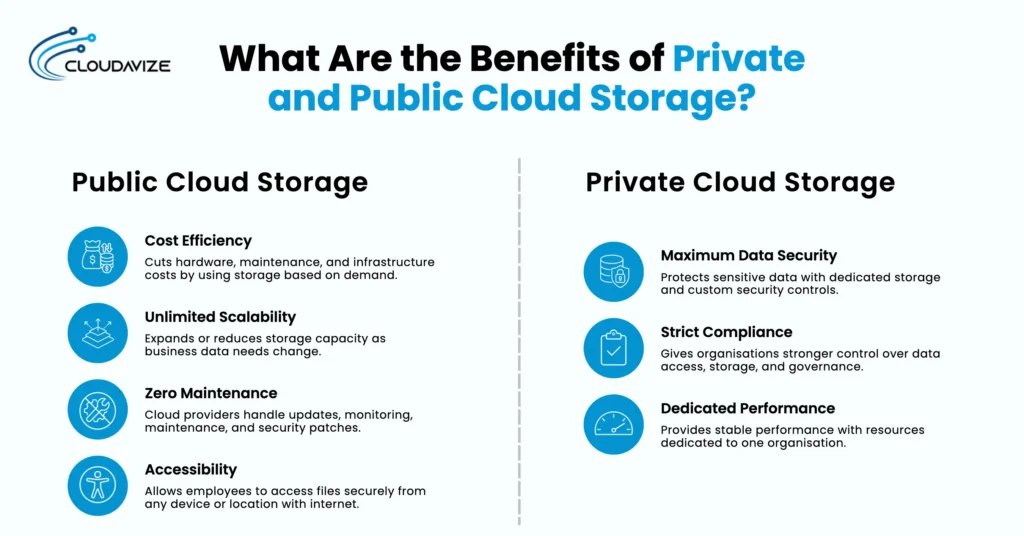
Public cloud storage offers cost efficiency, unlimited scalability, zero maintenance, and accessibility. Businesses can reduce infrastructure costs, instantly scale storage, and securely access files from any internet-connected device, all while avoiding hardware maintenance and updates.
The 4 key advantages of public storage are:
- Cost Efficiency
By eliminating the need for physical storage hardware and maintenance, public cloud storage reduces infrastructure costs. Businesses use resources based on demand, helping reduce unnecessary operational expenses. - Unlimited Scalability
Public cloud storage allows businesses to instantly scale storage capacity up or down as data needs change. This flexibility supports business growth, remote operations, and fluctuating workloads without requiring additional physical hardware. - Zero Maintenance
Third-party cloud service providers manage updates, monitoring, maintenance, and security patching. This reduces internal IT workload and simplifies infrastructure management. - Accessibility
Employees can securely access files and business data from any internet-connected device or location. This supports remote work, collaboration, and productivity across teams.
Private Cloud Storage Benefits
Private cloud storage offers maximum data security, strict compliance, and dedicated performance for organizations managing sensitive or regulated information. Businesses gain greater control over security, infrastructure, and data access while maintaining stable and reliable operations.
The 3 core benefits of private cloud storage are:
- Maximum Data Security
Private cloud storage uses dedicated environments and customizable security controls to protect sensitive business and customer information. This makes it suitable for confidential and regulated data. - Strict Compliance
Organizations can implement stricter governance policies and maintain greater control over data storage and access within private cloud environments. This helps meet industry-specific compliance requirements. - Dedicated Performance
By allocating resources to a single organization, private cloud storage ensures reliable performance and strong operational control for critical workloads. Dedicated infrastructure also supports stable operations and dependable application performance.
The table below compares public and private cloud storage:
| Feature | Public Cloud Storage | Private Cloud Storage |
| Environment | Shared across multiple users | Dedicated to one organization |
| Cost | Lower infrastructure costs | Higher control over infrastructure |
| Scalability | Instantly scalable | Controlled scalability |
| Maintenance | Managed by MSPs | Managed internally or privately |
| Security | Standard cloud security | Enhanced security controls |
| Compliance | General compliance support | Strong regulatory compliance |
| Performance | Shared resources | Dedicated resources |
| Best For | Flexibility and accessibility | Security and performance needs |
What Are the Benefits of Cloud Databases?
Cloud databases offer scalability, high availability, managed maintenance, and strong security while enabling real-time collaboration. They help organizations efficiently manage growing data volumes, improve reliability and remote access, reduce administrative work through automation, and support technologies such as AI, machine learning, and big data without major infrastructure changes.
Below are 6 core benefits of cloud database:
- Scalability
Cloud databases allow organizations to adjust storage capacity and computing resources instantly as needs change. Tech companies benefit from this flexibility, increasing database resources during peak usage without investing in new hardware. It supports growth and efficiently manages unpredictable workloads. - High Availability
Managed service providers design databases with built-in redundancy and failover systems. Healthcare organizations gain from continuous access to critical patient or operational data, minimizing interruptions and supporting disaster recovery. - Managed Maintenance
MSPs handle routine updates, security patches, and backups. Financial institutions benefit from reduced operational overhead, ensuring databases remain up to date, secure, and compliant without manual intervention. - Improved Security
Cloud databases use encryption, multi-factor authentication, and continuous monitoring. Legal firms benefit from robust security practices that protect sensitive client and case data while meeting regulatory standards. - Real-Time Collaboration
Multiple users can access and update data simultaneously from different locations. Media and design teams can work collaboratively on shared projects, improving productivity and efficiency across distributed teams. - Support for Modern Workloads
Cloud databases are optimized for AI, machine learning, and big data analytics. Big data platforms benefit by efficiently processing large datasets and adopting innovative solutions without major infrastructure changes.
What Are the Benefits of Using Cloud Computing?
Cloud computing supports storage by helping organizations improve efficiency, security, and collaboration. Each benefit makes data storage and management more flexible and reliable for everyday business operations.
The 10 benefits of using cloud computing are:
- Flexibility
Cloud computing allows organizations to adapt storage resources to changing needs. For example, a business can increase or decrease storage capacity as demand shifts, supporting both growth and seasonal changes. - Cost Efficiency
Cost efficiency in cloud storage stems from its pay-as-you-go model, in which organizations are charged only for the storage they use, reducing upfront hardware investments and lowering ongoing operational expenses. - Scalability
Organizations can instantly scale storage and computing resources up or down as workloads change. This flexibility supports business growth, seasonal demand fluctuations, and expanding data requirements without requiring new physical hardware installations. - Disaster Recovery
Cloud storage services provide automated backups and remote data storage. This setup helps organizations protect data from loss due to hardware failure, theft, or natural disasters. - Innovation
Cloud computing gives organizations access to new tools and technologies. Teams can use advanced analytics, artificial intelligence, or automation features that cloud providers update regularly. - Usability and Accessibility
Employees can securely access cloud-based applications, files, and systems from any location with an internet connection. This accessibility supports remote work, improves productivity, and allows teams to stay connected across multiple devices and locations. - Security
Cloud storage providers implement strong security measures, such as encryption and continuous monitoring. These features help protect sensitive business data from unauthorized access. - Collaboration
Cloud storage supports real-time collaboration by allowing multiple users to access and edit files simultaneously. Teams can collaborate on documents and projects without version-control issues. - Automation
Automation tools within cloud environments simplify backups, updates, monitoring, and resource management. Automated processes reduce manual IT tasks, improve operational consistency, and help organizations work more efficiently. - Compliance
Cloud storage solutions support compliance by helping organizations meet regulatory requirements through features such as audit trails and data retention controls, thereby ensuring proper data governance and accountability.
Provisioning Benefits in Cloud Computing
Cloud provisioning allows organizations to deploy resources, such as virtual machines and storage, within minutes. Faster resource allocation improves operational agility, supports rapid scaling, and reduces the need for manual infrastructure setup, helping businesses respond quickly to changing operational demands.
How Does Cloud Storage Benefit Different Types of Businesses?
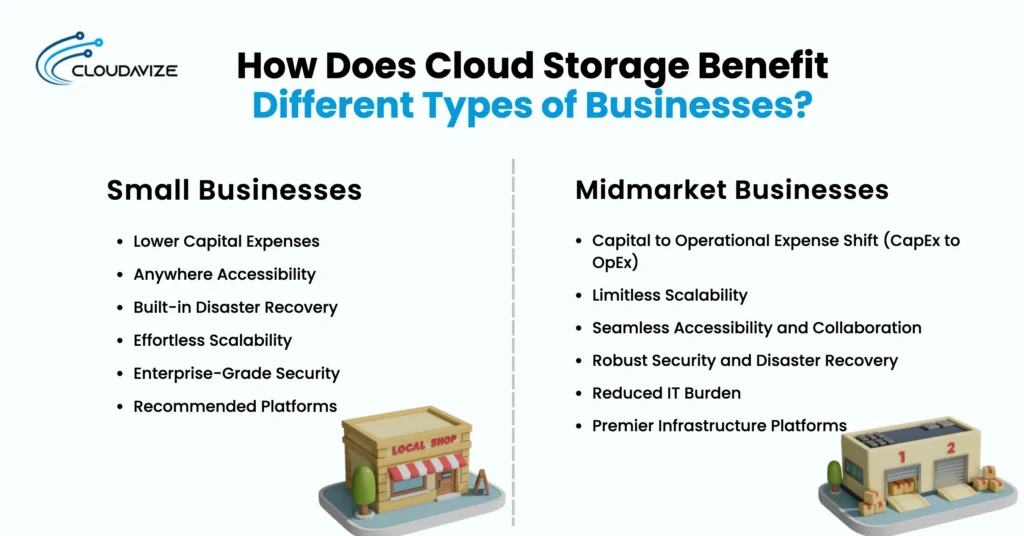
Cloud storage helps small businesses, such as local retailers, startups, and creative agencies, reduce infrastructure costs and improve flexibility, while midmarket businesses, including regional e-commerce companies, growing tech firms, and healthcare practices, gain scalable, secure, and more efficient data management environments to support their growing operational needs. Small businesses use cloud storage to simplify collaboration, support remote work, and avoid costly hardware, while midmarket businesses benefit from stronger security, improved compliance, reduced IT workloads, and seamless access across distributed teams.
How Does Cloud Storage Benefit Small Businesses?
Cloud storage helps small businesses reduce capital expenses, improve accessibility, strengthen disaster recovery, support scalability, and enhance data security. Instead of managing expensive physical servers, businesses can use flexible cloud storage environments that support remote access, easier collaboration, automated backups, and secure file management while adapting quickly to changing operational needs.
The following are the 6 key ways cloud storage benefits small businesses:
- Lower Capital Expenses: Cloud storage eliminates the need for expensive physical infrastructure, allowing small businesses to pay only for the storage they use.
- Anywhere Accessibility: Employees can securely access, edit, and share business files from any device with an internet connection, supporting remote work and collaboration.
- Built-in Disaster Recovery: Automatic cloud backups protect business data against hardware failures, cyber threats, and accidental loss, enabling faster recovery.
- Effortless Scalability: Cloud storage allows businesses to instantly scale storage capacity up or down as operational needs change, without upgrading hardware.
- Enterprise-Grade Security: Advanced security features, including encryption, access controls, and continuous monitoring, help protect sensitive business data against threats and unauthorized access.
- Recommended Platforms: Small businesses commonly use Google Workspace, Microsoft OneDrive for Business, and Dropbox Business for secure and flexible cloud storage management.
How Does Cloud Storage Benefit Midmarket Businesses?
Cloud storage helps midmarket businesses reduce infrastructure costs, improve scalability, strengthen security, support collaboration, and reduce IT management burdens. Instead of investing heavily in physical servers and on-site storage systems, organizations can use flexible cloud environments that support growing operational demands while improving accessibility, disaster recovery, and overall business efficiency.
The 6 benefits of cloud storage for midmarket businesses include:
- Capital-to-Operational Expense Shift (CapEx to OpEx): Cloud storage replaces large upfront infrastructure costs with flexible operational expenses tied to usage.
- Limitless Scalability: Midmarket companies can instantly scale storage capacity up or down as operational needs change.
- Seamless Accessibility and Collaboration: Employees can securely access, edit, and share files from any location in real time.
- Robust Security and Disaster Recovery: Encryption, automated backups, and continuous monitoring help protect sensitive business data and support recovery.
- Reduced IT Burden: By storing data off-site, internal IT teams spend less time on routine server maintenance and troubleshooting.
- Premier Infrastructure Platforms: Midmarket businesses commonly use Google Cloud, AWS, and Microsoft Azure for scalable cloud storage solutions.
Should You Move Your Business Data to Cloud Storage?
Yes, moving your business data to cloud storage is highly recommended for most organizations because it improves flexibility, scalability, security, and operational efficiency while reducing infrastructure management costs. Cloud storage eliminates the need for expensive on-site servers and enables remote-first businesses, growing enterprises, e-commerce platforms, and tech companies to instantly scale storage capacity as operational needs change. It also enables employees to securely access, edit, and share files from any location, improving collaboration and supporting remote or hybrid work environments.
Cloud storage strengthens data protection through automated backups, encryption, and disaster recovery capabilities, helping organizations recover quickly from hardware failures, cyber threats, or accidental data loss. In addition, cloud service providers manage routine maintenance, software updates, and security patching, reducing the workload on internal IT teams. While businesses should monitor potential hidden costs such as data retrieval or egress fees, cloud storage remains a reliable and cost-effective solution for organizations of all sizes seeking secure, scalable, and efficient data management.
What Else Should You Know About the Benefits of Cloud Storage?
Cloud storage offers much more than basic file backup, providing foundational benefits such as seamless cross-device access, cost savings by eliminating the need for physical hardware, and automated data recovery. These features allow users to access data from any internet-connected device, reduce costs associated with on-site servers, and quickly restore files if they are accidentally deleted or corrupted.
Beyond these core advantages, cloud storage supports instant scalability, real-time collaboration, advanced security, and built-in disaster recovery. Features such as encryption, multi-factor authentication, and off-site backups help protect sensitive data from cyber threats, hardware failures, and unexpected disruptions. When comparing cloud storage services, platforms like PCMag and CNET provide detailed reviews and user insights to help you make informed decisions.
What Are the Benefits of OneDrive for Cloud Storage?
OneDrive benefits cloud storage by providing seamless file synchronization, real-time collaboration, secure file sharing, automatic backups, remote accessibility, and strong integration with Microsoft 365 applications. These features help businesses improve productivity, support flexible work environments, and protect important business data through reliable cloud-based storage and security tools.
Below are the 13 benefits of onedirve for cloud storage:
- Seamless file synchronization across devices: OneDrive keeps files up to date on every device, so users always access the latest version, whether they are on a computer, tablet, or smartphone.
- Real-time document collaboration: Multiple users can work on the same document simultaneously, making teamwork more efficient and reducing version conflicts.
- Robust disaster recovery: Automatic backups protect files against hardware failure, theft, or local disasters, helping businesses recover data quickly if something goes wrong.
- Freeing up local device storage: The Files On-Demand feature stores files in the cloud and only downloads them when needed, saving valuable space on local drives.
- Secure file sharing with access restrictions: Users can securely share files with customizable viewing and editing permissions.
- Generous storage allocation: OneDrive typically provides at least 1TB of storage per user, supporting large volumes of data and business growth.
- Integration with Microsoft 365: OneDrive integrates seamlessly with Microsoft 365 apps such as Word, Excel, and Teams, streamlining workflows and document management.
- Personal vault for sensitive files: A dedicated vault adds an extra layer of security for confidential documents, requiring identity verification for access.
- Quick and easy synchronization: Changes made to files are reflected instantly across all connected devices, reducing delays and the need for manual updates.
- Remote access from any device: Users can access, edit, and share files from anywhere with an internet connection, supporting flexible work arrangements.
- Automatic file backup: OneDrive automatically backs up important folders, reducing the risk of accidental data loss.
- Offline access for editing: Files can be edited offline, and changes sync once the device reconnects to the internet, ensuring productivity even without an internet connection.
- Bandwidth management: OneDrive allows users to control upload and download rates, helping businesses manage network resources efficiently.
What Are the Disadvantages of Cloud Storage?
The main disadvantages of cloud storage include internet dependency, ongoing subscription costs, privacy and security risks, vendor lock-in, speed limitations, and increasing data transfer expenses. Businesses rely on stable internet access to manage files, while recurring fees, potential security concerns, and complex provider migrations can create operational and financial challenges over time
6 major disadvantages of cloud storage are:
- Internet Dependency: Cloud storage requires a stable internet connection to access or update data, limiting usability during connectivity issues.
- Ongoing Subscription Costs: Subscription-based pricing results in recurring expenses rather than one-time purchases.
- Privacy and Security Risks: Cloud storage providers manage data on their servers, meaning businesses entrust sensitive information to third parties.
- Vendor Lock-In: Switching providers can be difficult, costly, and technically complex.
- Speed Limitations: Uploading or downloading large files via cloud storage depends on your internet bandwidth and the server’s performance.
- Potential for Rapidly Increasing Costs: Additional charges for data transfer or retrieval can quickly increase overall expenses.
How to Choose the Best Cloud Storage for Your Business?
Choose the best cloud storage for your business by reviewing your storage volume, security needs, access requirements, backup expectations, compliance obligations, and budget. The right solution should support secure file access, easy collaboration, reliable disaster recovery, flexible scalability, and clear pricing without adding unnecessary IT complexity.
Businesses should compare encryption, access control, uptime reliability, data recovery options, tool integrations, customer support, and long-term storage costs before making a decision. Working with a trusted cloud service provider helps businesses select a secure and scalable cloud storage solution that protects data, improves remote access, reduces infrastructure burden, and supports future growth.