Cloudavize is your trusted managed service provider for customized IT solutions and support services, designed to meet all your business needs, ensuring seamless operations, optimal performance, and sustainable growth.
Cloudavize is your trusted managed service provider for customized IT solutions and support services, designed to meet all your business needs, ensuring seamless operations, optimal performance, and sustainable growth.
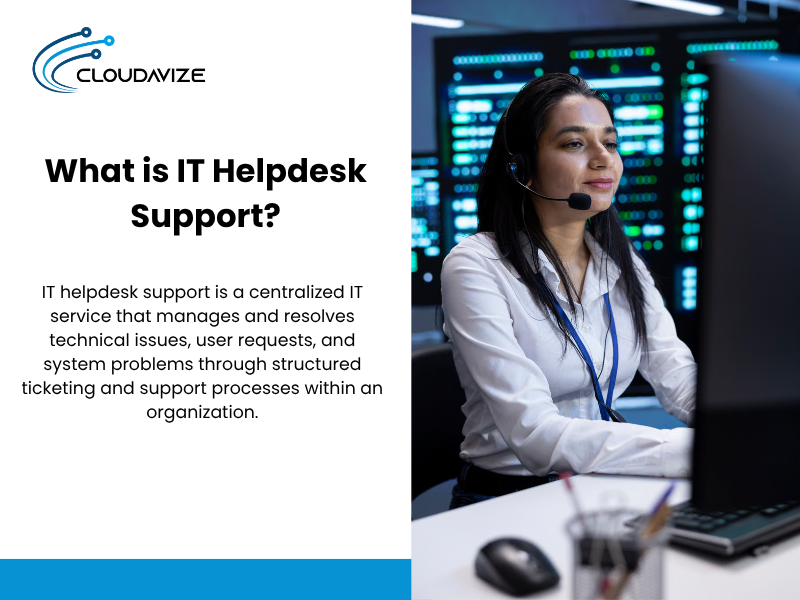
IT helpdesk support is a centralized IT service that manages and resolves technical issues, user requests, and system problems through structured ticketing and support processes within an organization. Many businesses outsource IT helpdesk support to managed service providers (MSPs) to access specialized expertise, reduce internal workload, and ensure scalable, always-available IT support without maintaining a large in-house team. It handles common issues such as password resets, software errors, hardware failures, and access problems through channels like phone, email, or remote support, ensuring quick resolution with minimal disruption.
Beyond troubleshooting, IT helpdesk support manages ticketing systems, user accounts, devices, and network-related requests using structured workflows and SLA-driven processes. By combining organized support systems with automation, knowledge bases, and remote tools, IT help desks maintain system stability, reduce downtime, and support smooth day-to-day business operations.
IT helpdesk support serves as the central point of contact for all technical issues within an organization. It manages, tracks, and resolves problems related to hardware, software, networks, and systems. Support can be provided in-house or through a Managed Service Provider (MSP), offering specialized expertise, scalability, and proactive monitoring to prevent downtime. The IT helpdesk system receives user requests, logs them in a ticketing system, prioritizes and tracks progress, and ensures resolution within defined SLA policies. By streamlining issue management, it reduces response times, improves customer satisfaction, and keeps business operations running smoothly.
Below are the 8 core functions of IT help desk support:
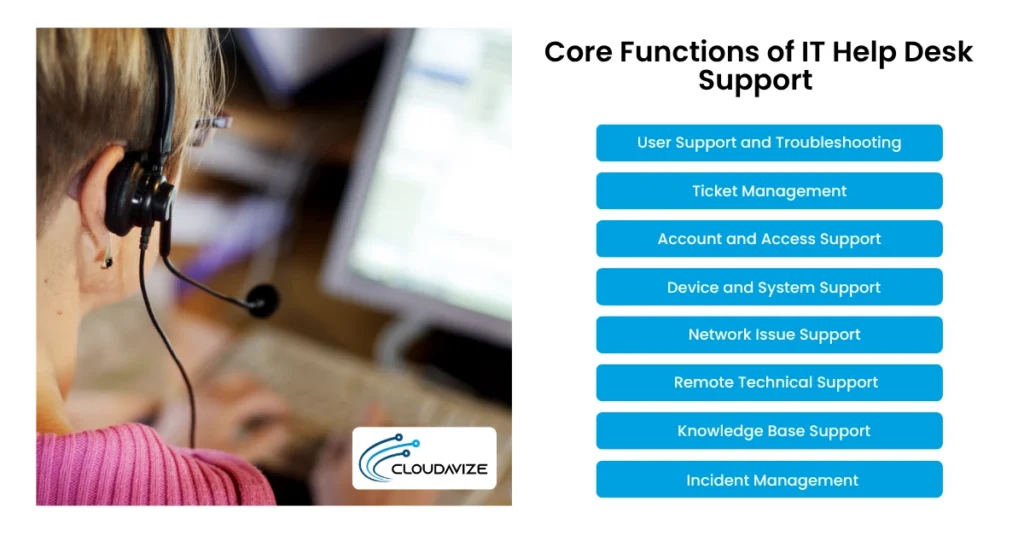
Through phone, email, self-service portals, and remote tools, technical issues and service requests are quickly resolved, providing seamless user support and troubleshooting. Fast troubleshooting prevents service interruptions, maintains employee productivity, and stops minor issues from escalating into costly business disruptions.
Teams handle account management, software installation, hardware maintenance, and network problems, while a knowledge base accelerates future resolutions. By promptly diagnosing and addressing hardware and software problems, including application errors and system failures, operations are restored efficiently. Resolving a Microsoft Outlook crash allows employees to resume communication and continue tasks without interruption.
A centralized ticketing system streamlines the handling of support requests from submission to resolution, ensuring issues are addressed quickly and transparently. Organized ticket management improves response times, prevents missed issues, and provides data insights that help businesses optimize IT performance and reduce recurring problems. Support teams use the system to manage hardware, software, and system issues, troubleshoot incidents, and handle service requests like password resets, enabling users to regain access quickly.
Tickets are logged, categorized, and assigned based on urgency, improving accountability and resolution times. Tracking trends and recurring requests enables organizations to implement improvements, such as self-service tools, boosting overall performance and user satisfaction.
IT helpdesk support manages user accounts and access permissions using systems such as Active Directory and role-based access control, handling password resets, account unlocks, and permission updates. Proper access management protects sensitive business data, reduces security risks, and ensures employees can access the tools they need without delays. Requests are processed through ticketing systems, self-service portals, and multi-channel communication, enabling rapid identity verification and secure resolution.
Enterprise security is maintained while users continue to work efficiently, as access to sensitive systems is limited to authorized individuals only. The use of two-factor authentication reduces the risk of unauthorized access and strengthens overall system security.
With centralized, omnichannel support, IT helpdesk teams or MSPs can easily manage desktops, laptops, and operating systems, using ticketing systems via email, chat, or phone to log, prioritize, and track issues. Well-maintained systems reduce technical failures, ensure compatibility with business applications, and keep daily operations running smoothly. Teams perform remote troubleshooting, install updates, configure devices, automatically deploy software, and maintain hardware to resolve problems quickly.
Proactive management keeps systems stable, prevents downtime, and ensures employees can work without interruption. Installing Windows updates on time helps avoid software conflicts and maintain a seamless workflow.
Stable network connectivity is maintained by quickly identifying and resolving issues such as slow internet, VPN failures, Wi-Fi disruptions, and server access problems. Reliable network performance is critical for business operations, especially for cloud tools and remote work, ensuring teams stay connected and productive. Support teams monitor performance, diagnose root causes, and implement solutions to restore dependable connections.
Prompt resolution ensures uninterrupted access to business-critical applications and maintains productivity. Restoring VPN connectivity allows remote employees to securely access internal systems and continue their work without disruption.
MSPs provide remote support using secure tools such as remote desktop sharing and diagnostic applications, allowing technicians to access users’ systems, view screens, and control devices over the internet. Remote support reduces resolution time, lowers business operational costs, and enables faster assistance for distributed teams. IT helpdesk technicians troubleshoot errors, install or update software, transfer files, and handle password resets without requiring on-site visits.
Remote support reduces downtime, speeds up issue resolution, and ensures employees can continue working efficiently. Resolving a software installation problem remotely enables distributed teams to resume tasks quickly.
A knowledge base provides a centralized repository of resources, including FAQs, guides, and troubleshooting articles, enabling users and support teams to address technical problems efficiently. Users resolve common issues through the self-service portal, while agents can quickly access or create content to speed up resolution.
Maintaining a well-organized knowledge base reduces ticket volume and enhances business productivity. Employees can follow a guide to configure their email accounts without contacting support, speeding up setup and minimizing service requests.
A structured, centralized system enables IT help desk support to log, prioritize, and track service disruptions from detection through resolution. Support teams identify, escalate, and resolve incidents using tools such as ticketing systems, automated escalation, and knowledge bases, ensuring SLA compliance and rapid restoration of normal operations.
Effective incident management minimizes business impact and maintains service continuity. For example, resolving a server outage restores access to critical applications, allowing employees and customers to continue working without interruption.
IT helpdesk support operates through a centralized ticketing system and acts as the first point of contact in a structured support chain, ensuring technical issues are handled consistently and efficiently. Response and resolution timelines are governed by SLAs, which define maximum acceptable wait times based on issue severity.
Submit: Users report issues through phone, email, or self-service portals, where each request is logged as a ticket.
Route: The system then categorizes and prioritizes tickets by urgency and type, routing them to the appropriate support team or tier for faster resolution.
Resolve: Technicians diagnose and resolve issues using remote tools, knowledge bases, or escalation to specialized teams, after which tickets are closed, documented, and tracked for performance insights.
IT helpdesk support is structured using a tiered model (Tiers 0–4) to manage technical requests by complexity. Tier 0 enables users to resolve common issues via self-service, reducing ticket volume. Tier 1 handles routine requests such as login issues and software installations, covering 60–70% of tickets. Tier 2 addresses escalated issues such as system errors and network outages. Tier 3 manages critical, complex problems, while Tier 4 involves external vendors for third-party systems. This structure streamlines issue resolution, optimizes resources, and ensures operational continuity across organizations.
At this level, users resolve common technical issues independently through a knowledge base and self-service portal, reducing ticket volume and freeing up support teams to focus on higher-priority tasks. The IT help desk system provides prewritten solutions, such as password reset guides or email setup instructions, enabling users to handle issues without direct support. This approach is especially effective for high-volume environments, such as SaaS platforms, as it accelerates response times by minimizing manual intervention.
First-line support handles 60–70% of all tickets, making it the primary support layer. At this level, technicians handle routine requests, including login issues, software installations, and basic troubleshooting. They receive, log, and resolve tickets using the helpdesk system, ensuring efficient handling of common issues. This tier is especially valuable for small- to mid-sized businesses dealing with recurring technical problems, as it streamlines support, reduces the need for escalations, and enhances overall service performance.
Complex IT problems, such as system errors, network outages, and software failures, are managed at this tier by knowledgeable support engineers, who handle 25–35% of escalated tickets efficiently. By resolving these issues, they ensure businesses with advanced IT environments experience fewer disruptions, more accurate solutions, and optimized system performance, supporting long-term IT stability across the organization.
Critical and highly advanced technical issues, such as infrastructure failures, complex software bugs, and system-level challenges, are addressed at this tier by engineers and system administrators, handling 5–10% of highly complex tickets. This tier is designed for enterprises with sophisticated IT environments, including cloud-based infrastructures, and focuses on delivering long-term solutions that ensure system stability, prevent future disruptions, and implement strategic improvements to optimize performance and support business growth.
Issues involving third-party systems or services are addressed at this level by external vendors or service providers when internal teams are unable to resolve them. This tier is essential for businesses that depend on external platforms, such as Microsoft 365 or AWS, ensuring swift problem resolution and minimizing operational disruptions. It also facilitates direct collaboration with vendors to efficiently implement updates, patches, or specialized solutions.
IT Helpdesk Support Tier Comparison:
| Tier | Who Handles It | Typical Ticket Type | Average Resolution Time |
| Tier 0 | End users (self-service) | Password resets, FAQs, setup guides | Instant – a few minutes |
| Tier 1 | Helpdesk technicians | Login issues, installations, basic troubleshooting | 5–30 minutes |
| Tier 2 | Support engineers | System errors, network issues, software failures | 30 minutes – a few hours |
| Tier 3 | Engineers/admins/ developers | Infrastructure issues, complex bugs | Several hours – 1–2 days |
| Tier 4 | External vendors | Third-party platform issues (e.g., AWS, Microsoft 365) | 1–3+ days |
IT helpdesks can be internal, external, outsourced, or virtual. Internal teams handle employee issues within the organization using platforms like Microsoft Endpoint Manager. External help desks manage customer support using tools like Zendesk. Outsourced providers offer scalable, enterprise-grade support on platforms like ServiceNow, often more cost-effective for small- to mid-sized businesses. Virtual help desks use cloud-native platforms and MSP tools such as Zoho Desk to manage tickets online via multi-channel access.
The 4 types of IT helpdesk are:
Employee technical issues are managed by the internal IT helpdesk, which handles requests related to systems, devices, and network services within the organization. The in-house IT team logs, monitors, and resolves these tickets using platforms such as Microsoft Endpoint Manager and ManageEngine ServiceDesk Plus, ensuring efficient, controlled IT operations aligned with internal policies.
Technical support for customers is provided through an external IT helpdesk, which manages product-related issues and service requests. Teams often use customer support platforms such as Zendesk or Salesforce Service Cloud to track, manage, and resolve tickets, helping businesses deliver consistent service and maintain high customer satisfaction.
Third-party providers handle ticketing and troubleshooting on platforms like ServiceNow or Freshservice, offering business enterprise-grade support without an internal team. Ideal for small to mid-sized businesses, outsourcing is often more cost-effective than in-house support, as it avoids salaries, benefits, and training while providing scalable, reliable IT services.
A virtual helpdesk delivers IT support through a cloud-native platform, enabling teams to manage, track, and resolve tickets entirely online. MSPs use tools such as Zoho Desk, Freshdesk, or integrated cloud-based support solutions to provide real-time assistance. Unlike traditional support, it scales easily without extra hardware. Cloud dashboards, workflows, and knowledge bases streamline resolution, while multi-channel access lets users submit requests via web, email, or chat.
An IT helpdesk focuses on quickly resolving technical issues, while an IT service desk manages overall IT service delivery and strategic operations. The help desk is a reactive team handling break/fix problems, whereas the service desk takes a proactive approach aligned with ITIL frameworks, overseeing user requests and preventing issues. While helpdesks address immediate problems, service desks ensure long-term IT performance.
Here is the comparison between IT helpdesk and IT service desk based on function, scope, and outcome:
| Aspect | IT Helpdesk | IT Service Desk |
| Core Function | IT helpdesk support resolves technical issues and incidents through a ticketing system | The IT service desk manages end-to-end IT services and service requests under IT service management (ITSM) |
| Focus Area | Focuses on issue resolution and troubleshooting, such as password resets or device errors | Focuses on service delivery and lifecycle management, such as change management and service requests |
| Scope | Operates with a narrow scope limited to technical support requests | Operates with a broader scope covering all IT services and processes |
Processes | Includes incident management, ticket management, and basic support workflows | Includes incident management, problem management, change management, and asset management |
| Objective | Aims to reduce downtime and resolve issues quickly | Aims to align IT services with business goals and improve service quality |
Example | Resolves a login issue or software error reported by a user | Manages user access provisioning, system upgrades, and service requests |
Outcome | Improves response times and customer satisfaction | Improves service efficiency, governance, and overall IT operations |
Key software used in IT helpdesk support includes Freshservice, ServiceNow, Jira Service Management, ManageEngine, Halo ITSM, Salesforce Service Cloud, and Zendesk. Freshservice and ManageEngine target SMBs with ITIL-aligned, user-friendly platforms. ServiceNow and Halo ITSM serve large enterprises with advanced workflow automation and customization. Jira Service Management is ideal for DevOps teams, while Salesforce Service Cloud and Zendesk focus on customer support with CRM integration and omnichannel features. These tools manage tickets, automate workflows, and efficiently streamline IT or customer service operations.
7 Leading Software used in IT Helpdesk Support are:
Designed for small to mid-sized businesses and growing IT teams, Freshservice provides strong ITIL alignment with intuitive ticketing, workflow automation, and asset management in a single platform. While user-friendly and efficient, its advanced customization and integrations are limited compared to enterprise-grade tools. Pricing follows a mid-range SaaS model, typically billed per agent per month.
Renowned as an “enterprise-grade powerhouse,” ServiceNow serves large enterprises with complex IT environments, offering deep workflow automation, cross-department integration, and end-to-end IT service management. While powerful, it has high implementation costs and a steep learning curve, often requiring dedicated resources. Pricing reflects its premium enterprise-level licensing and setup.
Ideal for IT and development teams requiring close coordination between support and software workflows, Jira Service Management excels in DevOps environments. Its Jira integration enables seamless tracking and collaboration between support and engineering. Effective for technical users, its developer-focused interface may challenge non-technical teams. Pricing is tiered, from affordable to mid-range, based on organizational scale.
As an all-in-one, ITIL-ready solution, ManageEngine serves SMBs and mid-sized organizations with flexible cloud or on-premise deployment. It offers comprehensive ITSM features, including asset management, reporting, and workflow automation. While functional, its interface can feel outdated compared to newer SaaS tools. Pricing is cost-effective, especially for on-premise setups, making it ideal for budget-conscious organizations.
As a highly flexible ITSM platform, Halo ITSM serves enterprises and managed service providers (MSPs), offering customizable workflows, robust SLA tracking, and advanced automation. While its flexibility is a key strength, fully leveraging it requires significant configuration effort. Pricing is mid-to-high range, depending on the level of customization and organizational scale.
Built for customer support teams in sales-driven or CRM-focused organizations, Salesforce Service Cloud offers deep CRM integration, AI-driven case management, and omnichannel support. While it excels in customer-focused workflows, it is less well-suited to IT-specific processes than dedicated ITSM tools. Pricing is high, with additional costs for AI features and advanced automation.
Known for its user-friendly interface and robust omnichannel support, Zendesk serves customer support teams and service-oriented businesses. It features user-friendly ticketing, powerful automation, and a built-in knowledge base. Although ideal for customer service, it offers limited native ITSM functionality compared to dedicated helpdesk platforms. Pricing is flexible, with plans ranging from entry-level to enterprise.
IT Helpdesk Software Comparison:
| Tool | Best For | Deployment | Starting Price Range | Standout Feature |
| Freshservice | SMBs and growing IT teams | Cloud | ~$19–$79/agent/month | ITIL-ready with built-in asset management |
| ServiceNow | Large enterprises | Cloud | Custom enterprise pricing | End-to-end ITSM with deep workflow automation |
| Jira Service Management | DevOps and technical teams | Cloud / On-premise | Free – ~$47/agent/month | Native integration with Jira development tools |
| ManageEngine ServiceDesk Plus | SMBs and mid-sized businesses | Cloud / On-premise | ~$13–$119/technician/month | Flexible deployment with strong asset tracking |
| Halo ITSM | Enterprises and MSPs | Cloud / On-premise | Custom / mid-high range | Highly customizable workflows and SLA control |
| Salesforce Service Cloud | CRM-driven support teams | Cloud | ~$25–$300+/user/month | Deep CRM + AI-powered case management |
| Zendesk | Customer support teams | Cloud | ~$19–$115+/agent/month | Omnichannel ticketing with strong UX |
Businesses benefit from IT helpdesk support through faster issue resolution, reduced downtime, and improved IT service management. By centralizing and routing tickets, problems are resolved quickly, often in real time, allowing employees to focus on core tasks. Centralized systems enhance visibility, streamline workflows, and provide insights for proactive IT improvements. Effective incident tracking ensures accountability, identifies recurring issues, and supports long-term solutions, keeping operations smooth and service quality high.
Top 6 Reasons to Use IT Helpdesk Support:
Technical issues are resolved more quickly through IT helpdesk support, which centralizes, triages, and routes tickets to the appropriate technical specialists. Using ticketing systems, workflow automation, and remote support tools, teams can diagnose and fix problems efficiently, often in real time, without requiring on-site visits.
Such a method minimizes downtime, boosts productivity, and ensures issues are handled based on urgency and impact. For Example, a mid-sized SaaS company implemented automated ticket routing, reducing average resolution time by 40% and enabling teams to restore operations faster while managing higher ticket volumes without adding staff.
Employee productivity is improved through IT helpdesk support, which efficiently handles technical issues and minimizes troubleshooting time. The system manages requests such as login failures, software errors, and device-related problems by routing them to the appropriate support teams for quick resolution.
By providing fast solutions, employees spend less time dealing with technical problems and more time focusing on their core responsibilities. A remote-first marketing agency introduced a centralized help desk, reducing employee downtime due to IT issues by 30% and enabling teams to complete projects faster and meet deadlines consistently.
IT helpdesk supports centralizing tickets, communication channels, and knowledge base resources into a single platform, providing a unified view of all technical requests and activities. This consolidation improves coordination and visibility across IT operations, streamlines communication, and enables workflow automation.
It also provides valuable data insights, allowing IT teams to focus on proactive improvements rather than merely reacting to issues, making tracking simpler and decision-making more effective.
By monitoring issues from creation to resolution, IT helpdesk support ensures effective incident tracking in a centralized system that records and manages all requests, providing accountability and proper documentation for audits.
Tickets are categorized and tracked using reporting and analytics tools, offering clear visibility into support activities. This approach helps businesses identify recurring problems, perform root cause analysis, and implement long-term solutions, ultimately enhancing overall system reliability.
By quickly identifying and resolving technical issues, IT helpdesk support minimizes system outages and disruptions. Critical problems are prioritized and escalated when necessary to ensure timely resolution.
Faster, professional handling of IT issues helps employees return to work sooner, saving up to 91 hours per employee annually (source: ‘The Hidden Costs of Poor IT Support, 2025,’ Project IT). It maintains continuous access to business systems, preventing interruptions to key applications and network operations.
IT helpdesk support improves IT service management by serving as a central hub for incident resolution, service requests, and SLA tracking, and by integrating workflows and automation tools to streamline IT operations.
By tracking issues via automated ticketing and supporting proactive problem management, it ensures consistent service delivery, minimizes interruptions through faster response times, and enhances productivity. It aligns IT operations with organizational objectives, streamlines processes, and enhances both service performance and user experience.
Common IT helpdesk support issues include password reset requests, software installation problems, network connectivity failures, device configuration errors, and email or access difficulties, all of which disrupt productivity and require timely intervention.
These issues commonly arise from forgotten credentials, permission restrictions, hardware or software misconfigurations, network outages, and access or security challenges. They can be addressed by using self-service tools, standardizing deployments, maintaining infrastructure, enforcing configuration policies, auditing permissions, and automating resolutions to ensure uninterrupted workflow.
Forgotten credentials prevent users from accessing their accounts, typically caused by expired passwords, multiple failed login attempts, forced password changes, returning from vacation, or simple human error. This issue is one of the most common helpdesk requests, often accounting for nearly 50% of all support tickets, and can delay work while increasing the support workload.
To resolve this, businesses can implement self-service password reset tools, enable multi-factor authentication, and enforce password management policies. These measures allow users to regain access quickly, reduce dependency on support teams, and improve overall response times.
Users often face difficulties installing or updating software due to permission restrictions, insufficient disk space, compatibility conflicts, or corrupted installation files. These issues prevent access to essential tools and slow down workflow.
Businesses can standardize software deployment, provide pre-approved installation packages, use automation tools for distribution, and offer clear installation guides to address this issue. Additionally, helpdesk staff can verify software legitimacy, manage administrative overrides, and ensure applications are properly configured for the company network, preventing repeated issues.
Users often face network connectivity issues that prevent them from accessing the internet, internal servers, or a VPN due to misconfigured IP addresses, outdated drivers, hardware faults, or network congestion. Problems such as Wi-Fi drops, slow speeds, or VPN failures can halt both remote and office work, affecting overall productivity.
Businesses can monitor network performance, regularly maintain and update infrastructure, and implement backup connections. Proactive root cause analysis and routine maintenance help prevent recurring disruptions and ensure smooth, uninterrupted operations.
Improperly configured systems can cause performance issues, software conflicts, or hardware incompatibilities, preventing employees from working efficiently. Problems often include offline printers, unresponsive webcams, failed Bluetooth connections, or difficulties syncing laptops with docking stations and dual monitors. Technicians must ensure all hardware and software settings align with the user’s workflow to avoid disruptions.
To handle these challenges, businesses can enforce standardized device configuration policies, use automated setup tools, and perform regular system updates. These practices ensure consistency across devices, reduce errors, and improve overall productivity.
Issues with email and system access arise when users are unable to send or receive messages or log into systems, often due to permission errors, misconfigurations, or server problems. Critical situations include sync failures, full mailboxes, disappearing folders, or difficulties with shared mailboxes and distribution lists. Helpdesk teams also assist with MFA issues and suspected phishing attempts to maintain security.
To address these challenges, businesses can implement role-based access control, regularly audit permissions, maintain proper email server configurations, and use automated access management tools. These measures enhance reliability, prevent disruptions, and ensure smooth communication and secure system access.
Businesses can enhance IT helpdesk support by implementing a centralized ticketing system, defining clear escalation workflows, and enforcing SLA policies to ensure timely issue resolution. Automating routine tasks, providing self-service portals, and maintaining a centralized knowledge base reduce workload and speed up responses. Leveraging helpdesk analytics and KPI dashboards enables data-driven performance optimization, while continuous staff training ensures teams stay current with tools, systems, and troubleshooting techniques. Together, these strategies improve accountability, service quality, and user satisfaction, creating a more responsive, reliable, and professional IT support environment.
8 ways to improve your business IT help desk are:
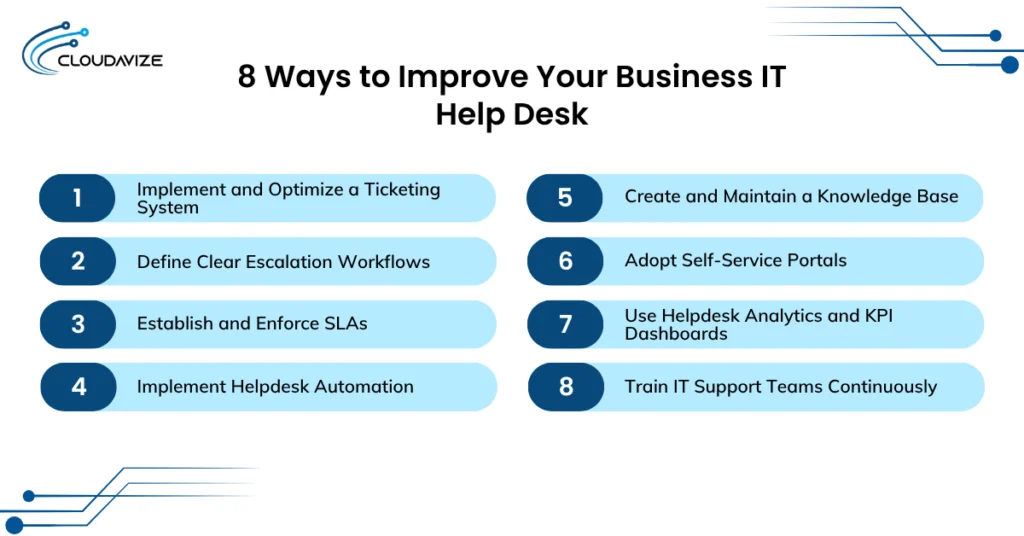
A centralized ticketing system logs, categorizes, and tracks IT support requests, enabling automated routing and SLA-based prioritization. This streamlines issue resolution, improves workload management, enhances team accountability, and provides insights into trends and performance, resulting in faster, more efficient, and consistent IT support that boosts user satisfaction.
Clear escalation workflows automatically route complex or unresolved issues to higher-tier teams based on priority, time, or issue type. By routing issues efficiently, critical problems are resolved faster, service continuity is maintained, support quality improves, accountability is enhanced, and repeated follow-ups are reduced, ensuring smooth IT operations and higher user satisfaction.
Defining and enforcing SLA policies with clear response times and resolution deadlines ensures support requests are handled efficiently. Monitoring compliance allows timely escalation, enhances accountability, guarantees predictable issue resolution, boosts operational efficiency, improves customer satisfaction, and fosters trust in IT support.
Automating repetitive tasks such as ticket assignment, categorization, and routine responses streamlines IT support operations, reduces manual workload, and allows staff to focus on complex issues. This improves resolution times, boosts operational efficiency, enhances service quality, and creates a more responsive and reliable IT help desk that effectively supports business objectives.
A centralized, regularly updated knowledge base allows users and support staff to access reliable information directly, reducing ticket volume and accelerating problem-solving. By freeing support teams to focus on complex issues, it improves business efficiency, enhances service quality, and fosters a more responsive, professional, and reliable IT helpdesk environment.
Organizations should implement self-service portals that let users submit requests, track tickets, and access knowledge base resources independently. Automated features like password resets and guided troubleshooting reduce helpdesk workload, speed up response times, and allow IT staff to focus on complex issues, creating a more efficient, responsive, and professional IT helpdesk.
Businesses should implement helpdesk analytics and KPI dashboards to track metrics such as ticket volume, resolution times, and SLA compliance, providing real-time insights into support performance. Leveraging this data helps IT teams identify trends and bottlenecks, reduce resolution times, allocate resources efficiently, proactively address recurring issues, and create a more efficient, responsive, and accountable helpdesk.
Ongoing training equips IT support teams with up-to-date skills in tools, systems, and troubleshooting, enabling faster and more accurate issue resolution and higher first-contact resolution rates for the business. Well-trained teams efficiently handle complex problems, maintain consistent service, and create a responsive, reliable, and professional IT helpdesk that boosts employee productivity and user satisfaction.
IT helpdesk success is measured using key metrics such as CSAT, First Contact Resolution (FCR), First Response Time, Ticket Escalation Rate, and SLA Compliance Rate. These metrics track user satisfaction, response speed, and service reliability. High CSAT indicates a positive user experience, while strong FCR and low escalation rates show that issues are resolved promptly at the first contact. Fast response times and high SLA compliance demonstrate reliable and timely support. Monitoring and improving these metrics enhances overall performance, reduces costs, and build greater trust among users.
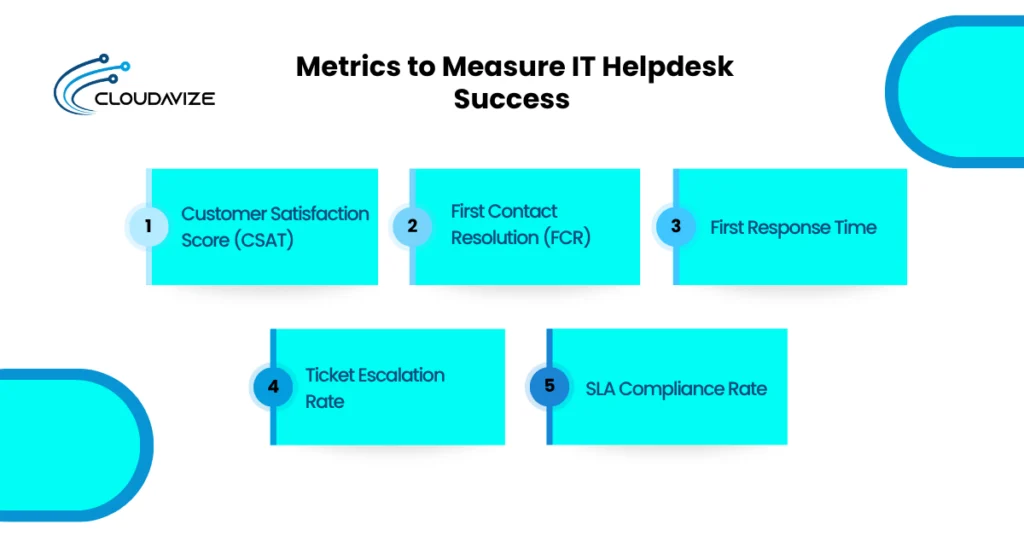
The 4 best metrics to measure IT helpdesk success:
CSAT is determined by collecting user feedback after a support ticket is closed, through 1-to-5 ratings. It is calculated as (Number of Satisfied Responses (4 or 5) ÷ Total Number of Responses) × 100. To improve customer satisfaction scores, businesses should resolve issues quickly, provide accurate solutions, maintain clear and polite communication, and follow up on unresolved concerns.
Tracking IT helpdesk effectiveness starts with monitoring key performance indicators such as First Contact Resolution (FCR), which measures the percentage of support tickets resolved during the first interaction without escalation or follow-up. FCR is calculated as (Tickets Resolved on First Contact ÷ Total Tickets) × 100. Businesses can improve FCR by training teams, maintaining knowledge bases, providing troubleshooting tools, and empowering agents.
It measures how quickly a support agent provides the first meaningful response to a ticket(user’s issue), reflecting the promptness of IT helpdesk engagement. calculated as FRT = Sum of First Response Times for all tickets ÷ Total Number of Tickets. Improvements can be made through automation, efficient routing, prioritization, adequate staffing, and the use of AI or templates.
Support teams measure the Ticket Escalation Rate by calculating the percentage of tickets escalated to higher tiers, using the formula (Escalated Tickets ÷ Total Tickets) × 100. To improve this metric, organizations can enhance Tier 1 agent training, maintain clear documentation and knowledge bases, implement automation for routine issues, and encourage effective first-line problem-solving.
To measure SLA Compliance Rate, calculate the percentage of tickets resolved within the agreed response and resolution timeframes using the formula: (Tickets Resolved Within SLA ÷ Total Tickets Resolved) × 100. Improvements in this metric can be achieved by setting realistic SLA policies, monitoring performance through dashboards, automating ticket prioritization, ensuring adequate staffing, and providing agent training.
The average cost of IT helpdesk support ranges from $100 to $250 per user per month, depending on the scope of services and support level. Costs are influenced by factors such as the number of users or devices supported, the required service level (basic, advanced, or 24/7), and the complexity of the IT environment (cloud, on-premise, or hybrid). Additional considerations include SLA commitments for response and resolution times, the volume and frequency of support requests, security and compliance requirements, the use of automation or self-service tools, geographic location, labor costs, and whether support is provided on-site or remotely.
| Cost Model | Estimated Price Range | Best For |
| Per User (Managed) | $100 – $250 /month | Standard businesses cover all of a user’s devices. |
| Per Device | $50 – $120 /month | Shared environments (e.g., labs, kiosks, manufacturing). |
| Hourly (Break-Fix) | $125 – $350 /hour | One-off emergencies or extremely small teams (<5 people). |
| Per Ticket | $50 – $150 /resolution | Outsourced “overflow” support for existing internal IT. |
| In-House Salary | $51,400 – $85,000 /year | Large firms (40+ users) need an on-site presence. |
| Managed Block Hours | $1,500 – $3,000 /month | Hybrid needs; includes a set number of support hours. |
Start by assessing your business needs, including support volume, system complexity, and budget, while prioritizing 24/7 availability, technical expertise in your industry, and proactive security measures. The IT helpdesk system should align with requirements for ticket handling capacity, fast response times defined in a Service Level Agreement (SLA), and scalability to support future growth. Ensuring flexible remote and on-site support is also essential for consistent service delivery.
Small businesses with low ticket volumes can benefit from outsourced or per-ticket support to reduce costs, while mid-sized businesses with moderate support needs should consider managed or per-user models to ensure predictable, scalable service. Large enterprises with complex IT environments may implement in-house or hybrid systems to maintain full control, advanced security, and faster resolution for high-priority issues. Choosing the right IT helpdesk support services optimizes costs, improves response times, and ensures reliable IT operations aligned with business goals.
Entry-level positions like IT Helpdesk Technicians, Support Specialists, and Desktop Support Technicians handle first-line troubleshooting, ticket resolution, and user support. Advanced roles such as IT Helpdesk Managers, System and Network Administrators, Cybersecurity Analysts, and Cloud Support Engineers focus on infrastructure, security, and overall IT service delivery. With high demand, estimated at 317,700 annual openings in the US, these roles require skills in troubleshooting, operating systems, and customer service, often validated through certifications such as CompTIA A+, providing a strong foundation for career growth, specialization, and leadership in IT.
Key skills for IT helpdesk support include troubleshooting, operating system management, networking, user account administration, ticketing, IT service management, and AI-based automation. These abilities enable professionals to resolve technical issues, manage systems and networks, ensure secure access, streamline workflows, and enhance service quality through standardized processes. Relevant certifications such as CompTIA A+, CompTIA Network+, ITIL 4 Foundation, HDI-SCA, Microsoft 365 Certified, Google IT Support, CompTIA Security+, and Microsoft Azure Fundamentals validate expertise in areas like troubleshooting, networking, cybersecurity, and cloud technologies, boosting credibility, career growth, and readiness for advanced IT roles.
Developing these core technical and operational skills enables IT helpdesk professionals to efficiently troubleshoot issues, manage systems, and deliver high-quality user support.
Essential skills to acquire in IT helpdesk support include:
Earning industry-recognized certifications validates technical expertise, enhances credibility, and opens pathways for career advancement in IT support roles.
Top certifications to pursue for IT helpdesk support include: