What is Remote IT Support?
Remote IT support is a service model that allows IT technicians or managed service providers (MSPs) to monitor, manage, and troubleshoot software, hardware, and network issues remotely over the internet, without requiring an on-site visit. This model follows a structured lifecycle that begins with a support request and ticket assignment, continues through secure remote access, issue diagnosis, and resolution, and ends with solution verification and documentation.
Beyond the support workflow, remote IT support covers a broad functional scope, including software installation and updates, system and network configuration, malware removal, performance monitoring, and end-user assistance. Different organizations, including SMBs, enterprises, and financial services, use remote IT support to reduce operational costs, resolve issues faster, minimize downtime, and maintain reliable IT operations in distributed environments.
To deliver these capabilities efficiently, remote IT support is implemented through models such as attended support, unattended support, and remote monitoring and management (RMM). These delivery methods allow businesses to scale IT support, maintain security and compliance, and ensure service continuity without relying on constant on-site intervention.
How Does Remote IT Support Work?
Remote IT support follows a step-by-step operational lifecycle that begins when a user submits a support request and a ticket is assigned to an IT technician, who then diagnoses and resolves issues efficiently without an on-site visit. The process concludes with solution verification and formal documentation of the session.
Here, remote helpdesk support plays a central role, serving as the operational entry point for logging, prioritizing, and addressing user issues through direct interaction with helpdesk technicians. This workflow ensures consistent incident handling while maintaining security controls and service standards.
Detailed process on how remote-IT support works:
- Support request submission: A user submits an IT support request via phone, email, chat, or a ticketing system, outlining the issue affecting a system, software, or device.
- Ticket assignment and review: The support platform creates a ticket and assigns it to an IT technician, who then reviews the ticket’s priority, issue details, and system impact.
- Remote connection establishment: After that, an assigned IT technician initiates a remote access session using approved remote desktop or remote access software.
- Access authorization: Explicit permission for remote access is granted by the user or the organization to the IT technician in accordance with defined security controls.
- Issue diagnosis: Using authorized access, an IT technician identifies the root cause by reviewing system settings, logs, configurations, or performance indicators.
- Problem resolution: Depending on the issue, the IT technician applies corrective actions, including configuration changes, malware removal, or software fixes.
- Solution verification: Once the problem has been resolved, the IT technician tests the system functionality and confirms it with the user to ensure the issue is fully resolved.
- Session closure and documentation: All actions taken are documented, and the session is closed, creating a record of resolution steps and final outcomes.
What Are the Key Features of Remote IT Support?
The key features of remote IT support cover issue resolution, system maintenance, security control, performance oversight, and end-user support, enabling organizations to keep IT environments stable and operational across distributed locations. Additionally, these features enable fast, flexible troubleshooting, remote maintenance, and user assistance from any location, helping organizations of all sizes, including small- and medium-sized businesses (SMBs), reduce downtime, control costs, and maintain operational efficiency.
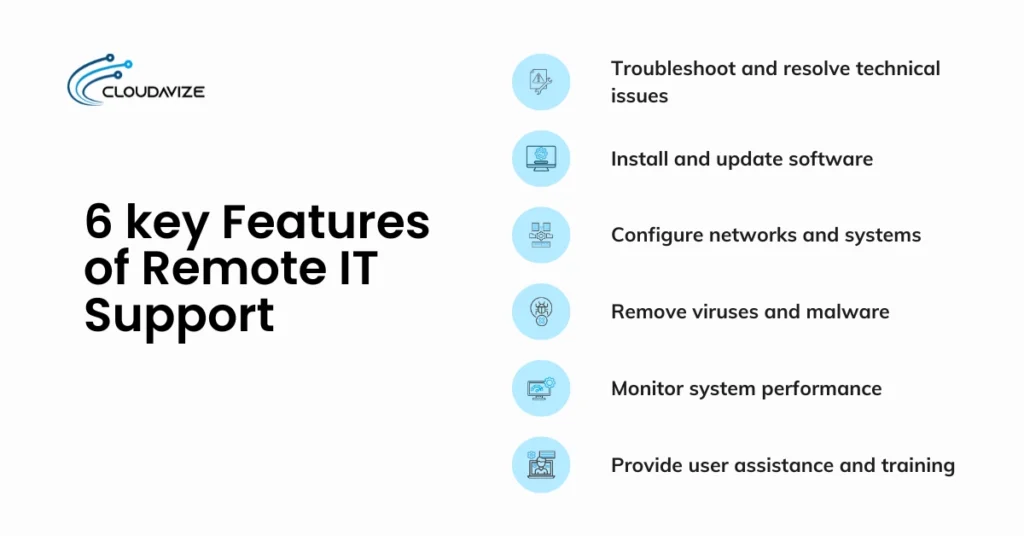
6 key features of remote IT support:
- Troubleshoot and resolve technical issues: IT technicians, often operating through a managed service provider (MSP), identify and fix system, software, or device problems remotely, reducing disruption and restoring normal operations for the organization.
- Install and update software: Required applications, patches, and software updates are installed or updated remotely to keep systems secure and compatible.
- Configure networks and systems: Network settings, system configurations, and access parameters are adjusted remotely to support connectivity, performance, and security requirements.
- Remove viruses and malware: Data security threats are detected and removed using remote access tools to protect systems from data loss and unauthorized activity.
- Monitor system performance: System health, usage patterns, and performance indicators are monitored remotely to identify issues before they impact operations.
- Provide user assistance and training: Users receive remote guidance and expert technical support to help them resolve issues faster and use systems correctly.
Who Uses Remote IT Support?
Remote IT support is used virtually across multiple sectors as part of managed IT services, including SMBs, enterprise organizations, remote and hybrid teams, multi-location organizations, and cloud-based businesses. These environments rely on remote help desk support to manage systems, support users, and maintain infrastructure efficiently, without on-site presence.
- Small and medium-sized businesses
Small and medium-sized businesses (SMBs) often lack the budget for a full in-house IT team, making remote IT support a practical alternative. Through MSPs, SMBs gain access to expert assistance and enterprise-grade IT support at a lower cost. By reducing travel and operational overhead, remote IT support enables faster issue resolution, proactive system maintenance, and 24/7 availability without the need to hire full-time staff. - Enterprise organizations
Large corporations and enterprises use remote IT support to achieve 30–50% cost savings while improving scalability and response times. As a force multiplier for internal IT teams, remote IT support enables centralized management of thousands of endpoints across global operations. Secure remote access replaces on-site visits with instant troubleshooting, reducing downtime, boosting productivity, supporting distributed workforces, and meeting compliance standards like HIPAA and GDPR. - Remote and hybrid teams
With workforces distributed across various time zones, remote and hybrid teams rely on remote IT tech support to maintain connectivity and security outside of a traditional office. It ensures business continuity by providing virtual assistance directly to home offices, ensuring that remote access tools and VPNs are always functioning correctly for every employee. This approach protects business continuity by resolving issues directly within remote work environments, reducing delays, and maintaining consistent productivity. - Organizations with multiple locations
Maintaining consistent IT systems across multiple sites is difficult when support depends on local resources or frequent travel. Remote IT support solves this by centralizing system management from a single hub. Companies such as healthcare groups or multi-branch agencies use remote access to deliver uniform support, reduce IT technician travel costs, and ensure every location receives the same level of technical care as the headquarters. - Cloud-based businesses
Businesses that operate entirely in the cloud require specialized remote monitoring and management (RMM) to maintain visibility and control over virtual infrastructure. Remote IT technicians manage cloud-native workflows around the clock, monitoring performance, applying updates, and addressing issues before they escalate. This proactive approach helps prevent service outages, maintain application availability, and ensure remote desktop software and cloud access remain secure and compliant. - E-commerce and retail companies
In the fast-paced retail environment, even minor disruptions in point-of-sale or payment systems can lead to immediate revenue loss. Remote IT support enables technicians to access systems instantly, including during active transactions, to resolve issues without delay. Rapid intervention from professional IT technicians minimizes downtime during peak sales periods while ensuring security measures protect customer payment data and transaction integrity. - Financial services firms
Banks and investment firms operate under strict regulatory and security requirements that demand continuous oversight. Remote IT teams provide specialized encryption management, threat detection, and system monitoring to protect sensitive financial data. With 24/7 support, remote IT services help defend against cyber threats, maintain system availability, and preserve detailed audit trails required by regulatory authorities.
What Are the Types of Remote IT Support?
Different types of remote IT support include attended support, unattended support, remote monitoring and management, cloud-based remote support, and on-premises remote support, which are defined by access method and deployment model. Each remote IT support type serves a specific operational role, allowing organizations to select a model that aligns with their security requirements, system complexity, and support workflows.
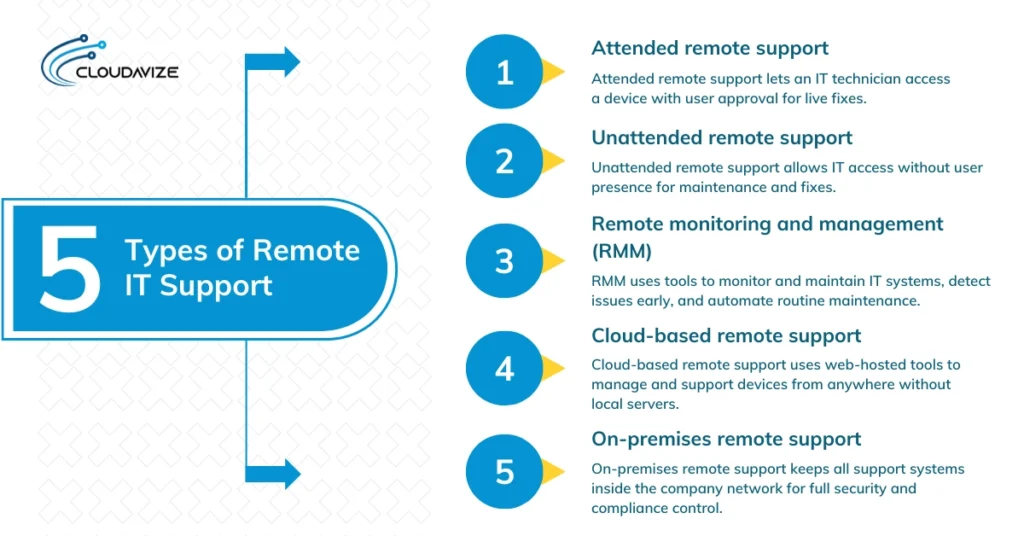
Core types of remote IT support:
- Attended remote support
Also known as on-demand support, attended remote support requires a user to be present at the device to initiate the session. It works by having the user grant access to a remote help desk support technician through a one-time code or an authorization prompt. This role is essential for remote help desk support, where an IT technician provides real-time troubleshooting for active issues, such as software glitches or password resets, while the user observes the process. - Unattended remote support
Unlike attended support, unattended remote support allows IT technicians to access a device even when the user is away or the computer is not in use. It works through a lightweight agent pre-installed on the system, enabling the IT team to perform software updates, apply security patches, or fix server errors during off-hours. This is a critical role in maintaining business continuity without disrupting employees’ daily workflow. - Remote monitoring and management (RMM)
RMM is a proactive form of remote IT support in which specialized management tools continuously monitor the health and performance of a company’s entire IT network. This type of IT support collects data on CPU usage, disk space, and security threats, enabling an IT technician to resolve silent issues before they cause downtime. Its primary role is to automate routine maintenance and provide a high-level overview of the organization’s digital infrastructure. - Cloud-based remote support
In a cloud-based remote support model, the remote support software is hosted on the provider’s cloud servers rather than on local hardware. It allows an IT technician to log in to a web-based dashboard from any location to manage client devices. Its role is particularly vital for scalable businesses and remote teams, as it offers the flexibility to provide support globally without the need for maintaining a complex physical server at the home office. - On-premises remote support
On-premises remote support involves hosting the remote support infrastructure within the company’s own data center or internal network. It works by keeping all data and connection logs behind the organization’s own firewall, providing the highest level of control over security measures. This type of remote IT support is typically used by financial services firms or government agencies, where strict compliance and regulatory requirements require that all support traffic remain within a private environment.
What Are the Benefits of Remote IT Support?
Remote IT support offers numerous benefits for both SMBs and large enterprises, including improved operational efficiency, reduced overhead, increased productivity, and 24/7 system availability. These benefits help organizations maintain reliable IT operations while supporting growth and distributed work environments.
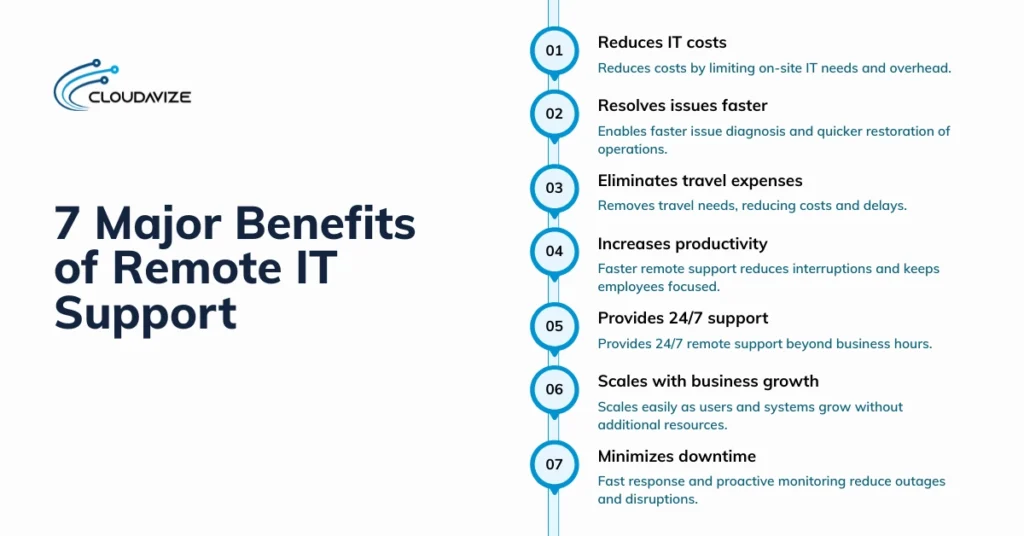
7 major benefits of remote IT support:
- Reduces IT costs: Lowers overall expenses by reducing reliance on on-site IT technicians and minimizing infrastructure and staffing overhead. Centralized IT support through a remote IT support team eliminates repeated travel, limits the need for dedicated local resources, and allows organizations to manage IT budgets more predictably while maintaining consistent technical coverage.
- Resolves issues faster: Remote IT support allows IT technicians to diagnose and fix problems quickly by accessing systems immediately after an issue is reported. Removing the need for physical IT professional presence shortens response and resolution times, helping restore normal operations sooner and reducing the impact of technical disruptions on daily workflows.
- Eliminates travel expenses: Resolving issues through remote IT support removes the need for IT technicians to travel to business locations. Issues are accessed and resolved via secure remote connections, enabling IT technicians to diagnose systems, apply fixes, and verify outcomes in real time. This approach eliminates transportation costs, avoids scheduling delays, and ensures support is delivered regardless of geographic distance.
- Increases productivity: Faster issue resolution through remote IT support reduces interruptions by restoring system access quickly. Remote IT technicians connect to affected devices immediately, resolve errors in real time, and confirm functionality before closing the session. Employees spend less time waiting for assistance and more time performing their core responsibilities, maintaining consistent workflow efficiency.
- Provides 24/7 support: Remote IT support enables continuous availability by allowing IT technicians to respond outside standard business hours. Support teams operate across shifts or time zones, using remote access tools to resolve incidents as they occur. This ensures technical issues are addressed promptly, even during nights, weekends, or critical operational periods.
- Scales with business growth: Compared to inhous IT team, remote IT support is easily scalable, allowing additional users, devices, and systems to be managed centrally. New endpoints are added through software-based access rather than physical expansion, enabling support teams to handle growth without increasing on-site resources. This flexibility allows IT services to expand alongside business operations with minimal disruption.
- Minimizes downtime: Remote IT support minimizes downtime using remote monitoring tools, centralized dashboards, and secure remote access. These capabilities enable IT technicians to detect system issues early, respond to incidents immediately, and access affected systems without waiting for on-site availability. Rapid diagnosis and resolution shorten outage durations and limit disruption to business operations.
What Are the Risks and Challenges of Remote IT Support?
The risks and challenges of remote IT support include cybersecurity exposure, limited physical access to hardware, compliance obligations, and dependence on reliable internet connectivity, particularly when the managed service provider (MSP) operates in a different time zone. If left unaddressed, these challenges can delay resolution times, reduce service quality, and impact overall productivity. With proper tools, defined security controls, clear communication, and proactive oversight, businesses can significantly reduce these risks.
4 major risks and challenges of remote IT support:
- Cybersecurity vulnerabilities: Increase exposure to risks such as unsecured home networks, BYOD devices, and phishing attacks, raising the likelihood of data breaches without strong security controls.
- Internet connectivity dependency: Too dependent on reliable internet connections, as both outages and poor connectivity can interrupt IT support sessions and delay issue resolution.
- Limited hardware access: Cannot resolve issues that require physical hardware interaction, such as component replacements or equipment failures.
- Compliance and regulatory risks: Remote access to sensitive systems must meet regulatory requirements, as weak access controls, insufficient logging, or improper data handling can result in compliance violations and audit failures.
What Tools and Software Are Used for Remote IT Support?
Remote IT support tools include dedicated platforms such as TeamViewer, AnyDesk, and Splashtop, as well as built-in protocols and IT management systems designed for secure remote access. These tools allow IT technicians and MSPs to remotely connect to systems, control desktops, transfer files, and provide real-time technical assistance.
List of tools and software used for remote IT support:
- TeamViewer: One of the most popular tools on the list, TeamViewer provides secure remote access, screen sharing, file transfer, and session recording. It is commonly used for attended and unattended remote IT support across multiple operating systems with strong encryption controls.
- AnyDesk: Known for speed, low lag, and lightweight performance, AnyDesk is dedicated client software running across most major operating systems. It supports real-time screen control, low-latency access, and secure authentication for remote troubleshooting and maintenance.
- Remote Desktop Protocol (RDP): RDP is a built-in Windows protocol that allows IT technicians to remotely access and control systems over a network. This protocol is widely used in enterprise environments for internal remote administration.
- ConnectWise: ConnectWise combines remote access with remote monitoring and management (RMM) features supporting proactive system monitoring, automation, ticketing, and centralized IT management for MSPs.
- LogMeIn: Widely used by businesses for secure remote connections, LogMeIn provides cloud-based remote access to systems and servers. It supports unattended access, secure file sharing, and centralized device management for distributed teams.
- Chrome Remote Desktop: Chrome Remote Desktop offers browser-based remote access using a Google account. This tool is commonly used for basic remote support scenarios with minimal setup requirements
- Splashtop: Provides secure, high-performance remote desktop access with low latency and strong security controls. It is used for remote troubleshooting, system maintenance, and secure access to business devices.
Remote IT Support Jobs Roles, and Career Opportunities
Remote IT support offers multiple career paths, including help desk technician, IT support specialist, system administrator, and support engineer, each providing specialized assistance to businesses and individuals. These positions require diverse technical expertise and skill sets to address a range of issues.
- Remote Help Desk Technician
A remote help desk support technician provides first-level technical support, handling common user issues related to software, devices, and access. Typical responsibilities include managing tickets, performing basic troubleshooting, resetting passwords, and escalating complex problems to higher-level teams. This role generally has a salary range of $40,000 to $55,000 per year and requires an associate degree or entry-level IT education, along with foundational certifications such as CompTIA A+. - Remote IT Support Specialist
In this role, professionals handle advanced technical issues related to operating systems, applications, and system configurations. The position centers on resolving recurring problems and supporting business-critical tools to ensure stable service delivery. Compensation for a remote IT support specialist typically ranges from $55,000 to $75,000 annually, depending on experience and scope of work. Most roles require a bachelor’s degree in IT or a related field, along with certifications such as CompTIA Network+, Microsoft credentials, or ITIL Foundation. - Remote Systems Administrator
A remote systems administrator focuses on maintaining and securing server environments, including system updates, backups, user permissions, and performance optimization. Salaries commonly fall between $70,000 and $95,000 per year, reflecting the level of responsibility required to manage infrastructure stability and secure remote access. The role generally requires a bachelor’s degree in information technology or computer science, supported by certifications in Microsoft, Linux, or cloud platforms, along with skills in server administration and virtualization. - Remote Network Support Engineer
Professionals in the remote network support engineer role concentrate on network reliability, security, and performance across remote environments. Typical duties include managing firewalls, VPNs, routing, and monitoring traffic to prevent outages. With salary ranges usually between $75,000 and $100,000 annually, this role requires strong networking expertise. Employers commonly seek candidates with a bachelor’s degree in networking or information systems and certifications such as CCNA or CCNP, combined with hands-on network diagnostics skills. - Remote Desktop Support Analyst
Remote desktop support analysts deliver specialized end-user assistance for desktop-level issues involving operating systems, applications, and remote access tools. They work directly with users to diagnose problems and restore system functionality efficiently. This role typically requires an associate or bachelor’s degree in IT, along with practical experience using desktop operating systems and support platforms. Key skills include operating system troubleshooting, application support, and effective user communication. Annual salaries generally range from $50,000 to $65,000, depending on experience and responsibilities.
Essential Skills and Certifications for Remote IT Support
Qualifying for remote IT support jobs requires a combination of technical expertise, certifications, and soft skills, including proficiency in remote support and strong communication skills. Additionally, certifications such as CompTIA A+, ITIL Foundation, and Microsoft Certified Solutions Associate validate core technical knowledge and service management skills, helping professionals meet the requirements of modern remote IT support environments.
- CompTIA A+ Certification: This certification validates foundational IT skills, including hardware, operating systems, networking, and troubleshooting. It prepares entry-level IT professionals for help desk and remote support roles.
- ITIL Foundation Certification: It focuses on IT service management principles, helping remote IT professionals understand structured support processes, incident handling, and service delivery within managed IT services environments.
- Microsoft Certified Solutions Associate (MCSA): MCSA demonstrates proficiency in Microsoft-based systems and servers, supporting roles that manage Windows environments, user access, and system administration remotely.
- Remote support software proficiency: Proficiency with remote access and support tools is essential for diagnosing issues, managing systems, and assisting users efficiently in remote environments.
- Strong communication skills: Clear communication enables IT professionals to guide users, explain technical issues, and document resolutions, which is especially important when support is delivered remotely.
How Much Does Remote IT Support Cost?
Remote IT support typically costs $60 to $150 per user or workstation per month for ongoing managed services, making it a practical option for SMBs that need continuous IT coverage. For on-demand support, managed service providers (MSPs) generally charge $75 to $250 per hour, with higher rates applying to specialized skills or complex technical requirements.
Some providers also offer per-ticket pricing, starting at $1 per ticket, while external per-incident support usually ranges from $150 to over $300 per issue, depending on complexity and resolution time. Costs often become more scalable as the number of users increases, and final pricing depends on factors such as support type, business size, service level agreements (SLAs), and the overall technical environment.
How Is Remote IT Support Different From On-Site IT Support?
Remote IT support delivers technical assistance through secure remote access tools, whereas on-site IT support requires technicians to be physically present at the business location. Although both remote and onsite IT support models aim to maintain reliable and secure IT operations, they differ significantly in delivery methods, response times, cost structures, and scalability.
Key differences between remote IT support and on-site IT support:
| Aspect | Remote IT Support | On-Site IT Support |
| Service delivery | Provided through secure remote access tools. | Delivered in person at the business site. |
| Response time | Immediate access without travel delays. | Dependent on scheduling and travel time. |
| Scalability | Easily supports multiple locations. | Limited by technician availability. |
| Downtime impact | Faster resolution reduces outages. | Longer outages while waiting on-site. |
| Maintenance approach | Supports proactive monitoring remotely. | Primarily reactive on-site fixes. |
| Hardware handling | Limited to software and configurations. | Required for physical repairs and installs. |
| Best suited for | Distributed and cloud-based environments. | Hardware-intensive requirements. |
While many stay confused about which IT support to choose, in practice, many organizations adopt a hybrid approach, using remote IT support for routine troubleshooting and system management while relying on on-site IT support only when physical intervention is required. This approach balances cost efficiency with hands-on technical requirements.
What Are the Best Practices for Effective Remote IT Support?
The best practices for effective remote IT support include implementing proper security protocols, using remote support software, documenting processes, and monitoring support metrics. When applied correctly, these practices provide tips for mitigating the risks of remote IT support, strengthening service quality, minimizing downtime, and addressing common challenges.
Best practices for effective remote IT support:
- Implement strong security protocols: Multi-factor authentication, role-based access controls, and encrypted connections protect remote sessions and reduce exposure to cyber threats.
- Use reliable remote support software: Tools ensure stable connections, secure access, and real-time troubleshooting, helping technicians resolve issues quickly and consistently.
- Establish clear communication channels: Defined communication channels improve issue reporting, reduce misunderstandings, and keep users informed throughout the support process.
- Document all support sessions: Detailed documentation of issues, actions taken, and outcomes supports accountability, compliance, and faster resolution of future incidents.
- Monitor and analyze support metrics: Tracking response times, resolution rates, and recurring issues helps organizations improve service quality and identify areas for optimization.
- Provide regular training for IT staff: Ongoing training ensures IT technicians stay current with remote tools, security practices, and evolving support procedures.
- Partner with experienced IT service providers: Working with trusted remote IT support providers helps businesses access skilled technicians, proven processes, and scalable service models that improve reliability and reduce long-term support risks.