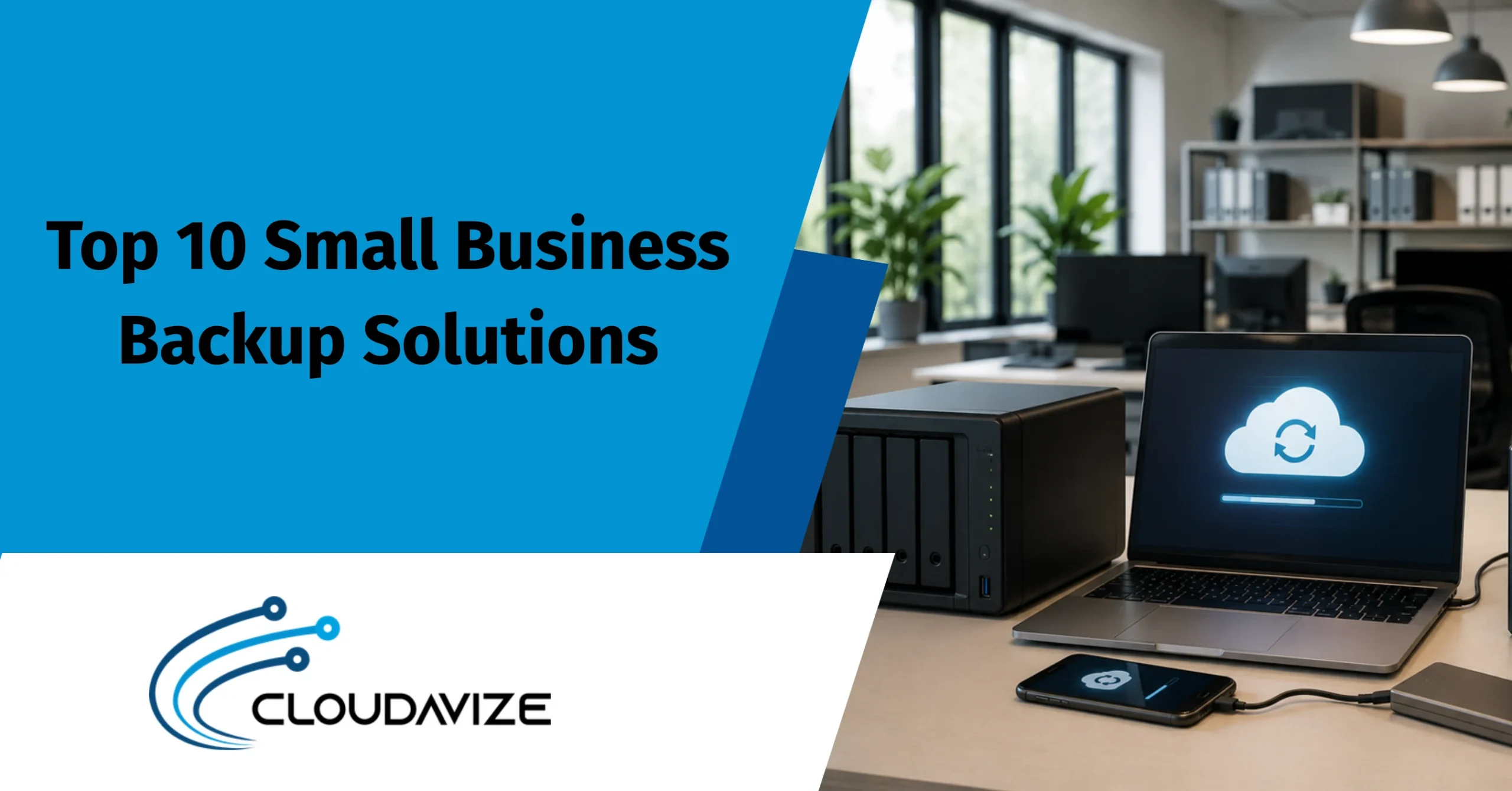
Top 10 Small Business Backup Solutions
The top backup solutions for SMBs are IDrive Business, Backblaze Business Backup, Acronis Cyber Protect, Veeam Data Platform, CrashPlan, Synology NAS, QNAP NAS, Carbonite, MSP360 (CloudBerry) Backup, and Datto. These solutions provide cloud, on-premises, and hybrid backup options with features such as automated backups, ransomware protection, encryption, disaster recovery, and centralized management. Each platform addresses different SMB requirements based on budget, infrastructure, recovery objectives, and scalability.
Choosing the right backup solution depends on your business’s recovery goals, security requirements, storage preferences, and IT resources. Businesses should evaluate backup monitoring, immutable storage, device and SaaS coverage, and disaster recovery capabilities while avoiding common backup mistakes that increase downtime and data loss. Whether managed internally or through an MSP, a well-planned backup strategy helps SMBs protect critical data, maintain compliance, and recover quickly from cyberattacks, hardware failures, and other unexpected disruptions.
The Top 10 Small Business Backup Solutions are:
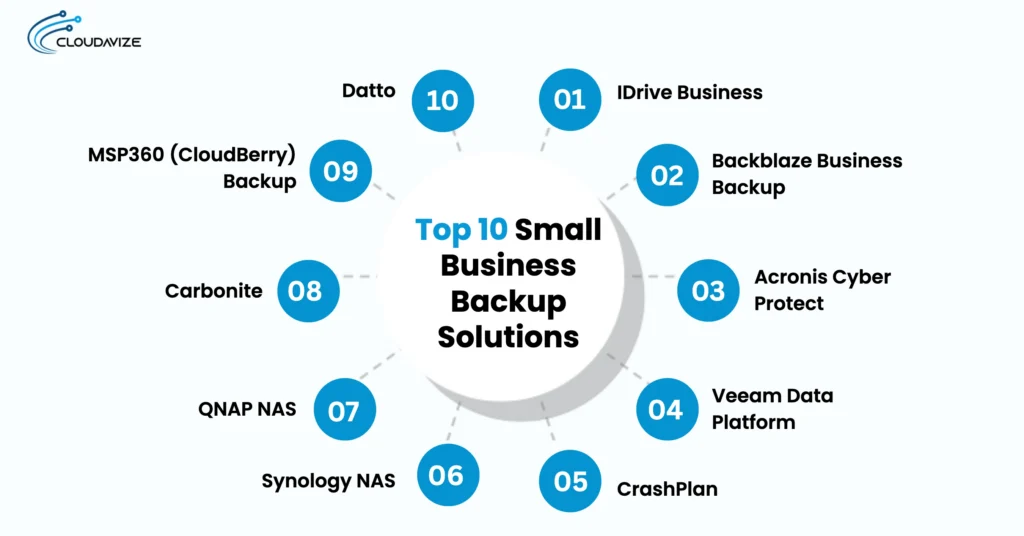
- IDrive Business
- Backblaze Business Backup
- Acronis Cyber Protect
- Veeam Data Platform
- CrashPlan
- Synology NAS
- QNAP NAS
- Carbonite
- MSP360 (CloudBerry) Backup
- Datto
IDrive Business
IDrive Business provides a robust cloud backup platform that secures data across multiple devices and users under a single account. It features centralized management, allowing administrators to monitor activity and enforce policies via a unified dashboard. The service supports critical SMB infrastructure, including MS SQL, Exchange, Hyper-V, and Linux servers. For initial large-scale data transfers, IDrive Express utilizes physical drives to accelerate deployment. Additionally, it offers near-real-time continuous backup, ransomware protection, and 30-day file versioning to facilitate disaster recovery.
Tiered pricing based on storage capacity allows SMBs to align costs with their specific data needs. While highly comprehensive, the platform does not include unlimited storage by default. Consequently, it is an ideal choice for organizations requiring secure, manageable, and professional-grade backup capabilities that scale with their growth.
Backblaze Business Backup
Backblaze Business Backup provides an automated, cloud-based service designed to secure data on computers and connected external drives using AES 256-bit encryption. The platform offers continuous, real-time protection and unlimited storage capacity per workstation, allowing SMBs to back up large volumes of data without quotas. Administrators manage devices via a centralized dashboard, with an optional Enterprise Control upgrade available for $123/year per computer ($24/year add-on) to unlock features like OIDC/SSO integration and restricted restore access.
Pricing is transparent at a flat rate of $99/year per computer. While 30-day file versioning is included by default, SMBs can enable one-year retention for free or “Forever” version history for an additional fee. Note that the service is a file-level backup and does not support full system or virtual machine image backups, making it best for organizations prioritizing simplicity.
Acronis Cyber Protect
Acronis Cyber Protect provides a comprehensive hybrid backup solution that enables SMBs to store data on-premises and in the cloud. It uniquely integrates advanced cybersecurity measures, such as AI-based anti-malware, ransomware protection, and cryptojacking defense, directly into the backup workflow to minimize the risk of data loss. The platform supports diverse environments, including physical servers, virtual machines, and workstations, ensuring robust compliance and rapid disaster recovery through features like bare-metal restoration.
Licensing is subscription-based and structured by the number and type of protected workloads, such as workstations or servers. While annual pricing for a workstation license starts at around $99 (Source: Insight), costs vary based on selected features and required cloud storage capacity for SMBs. Its extensive capabilities may entail a steeper learning curve than simple backup tools, but it offers unmatched integration for organizations prioritizing unified security and business continuity.
Veeam Data Platform
Veeam Data Platform is a leading hybrid backup solution for on-premises and cloud environments, holding a 13.6% global market share as of late 2025 (source: Compare The Cloud). It serves over 550,000 customers worldwide, including 82% of the Fortune 500. The platform features extensive scalability, allowing SMBs to expand capacity seamlessly as data grows. Automation simplifies operations by scheduling regular tasks, while support for diverse operating systems and virtual machines enables protection through one unified system. Rapid recovery minimizes downtime by enabling the quick restoration of critical data.
A user-friendly interface allows SMB teams to manage backups efficiently without needing deep technical expertise. While hybrid systems are robust, businesses should evaluate the technical requirements and costs inherent in them. Balancing deep features with manageable complexity, it remains a premier choice for safeguarding operations.
CrashPlan
CrashPlan is a cloud-based backup solution designed for small businesses to protect data across laptops, computers, and cloud applications. The platform provides continuous, automated backups every 15 minutes, coupled with unlimited file versioning to safeguard against ransomware or accidental deletions. With unlimited storage, businesses can scale their data requirements without incurring additional fees. Furthermore, it includes integrated Microsoft 365 protection for OneDrive, Exchange, and SharePoint, ensuring critical SaaS data remains recoverable.
Self-serve restore capabilities allow employees to recover their own files, effectively reducing IT workload and operational downtime. The service employs enterprise-grade encryption and maintains compliance with standards like HIPAA and GDPR. While it excels at endpoint and SaaS protection, it focuses on file-level recovery rather than full system or virtual machine imaging.
Synology NAS
Synology NAS provides an on-premises backup solution tailored for small businesses requiring local control and fast recovery. Its core platform, Active Backup for Business, is license-free and centrally manages backups for Windows, Mac, virtual machines, physical servers, and Microsoft 365. The solution offers bare-metal imaging for full system recovery, hourly incremental backups, and global deduplication to optimize storage. Synology Drive Server ensures continuous file syncing, while Hyper Backup facilitates off-site replication to cloud or remote servers, supporting the 3-2-1 backup strategy.
Hardware options include the reliable DiskStation DS225+, priced between $275 and $339, and the budget-friendly DS223j, priced between $195 and $229. While requiring upfront hardware investment and maintenance, it offers a robust, user-friendly environment for companies prioritizing local data control and comprehensive, rapid recovery.
QNAP NAS
QNAP NAS is an on-premises backup solution that gives SMBs direct control over data protection while supporting hybrid backup strategies. It stores files, databases, virtual machines, and other business data locally for fast backup and recovery. Built-in tools such as Hybrid Backup Sync (HBS 3), NetBak PC Agent, Hyper Data Protector, and Qsync Central simplify backups across Windows, macOS, Linux, servers, and endpoints. Managed service providers (MSPs) can also deploy and manage QNAP environments for SMBs, reducing administrative complexity.
QNAP also integrates with cloud storage and remote backup destinations to maintain off-site copies for disaster recovery. RAID protection, immutable snapshots, and encryption safeguard data against ransomware, hardware failure, and accidental deletion. While it requires upfront hardware investment, QNAP delivers reliable local performance, rapid recovery, and flexible hybrid backup capabilities for growing SMBs.
Carbonite
Carbonite provides cloud backup and recovery solutions tailored for small businesses, protecting desktops, servers, endpoints, and Microsoft 365 environments through specialized services. Carbonite Safe Professional automatically backs up files from one to 25 computers, while Safe Server Backup protects Exchange, SQL, and SharePoint with point-in-time recovery. Carbonite Endpoint centralizes laptop and desktop backups, while Microsoft 365 Backup secures emails, OneDrive, and SharePoint data.
Automated backups run quietly in the background with 256-bit encryption and hybrid backup options that combine local and cloud storage for faster recovery and disaster protection. These capabilities help SMBs defend against ransomware, accidental deletion, and hardware failures while supporting business continuity. Although organizations with strict privacy requirements may prefer customer-managed encryption keys, Carbonite remains a scalable, reliable backup solution for growing small businesses.
MSP360 (CloudBerry) Backup
MSP360 Backup (formerly CloudBerry) is a flexible cloud backup solution that helps SMBs protect business data using a Bring-Your-Own-Storage (BYOS) model. It integrates with cloud providers such as AWS, Microsoft Azure, Backblaze B2, and Wasabi, giving businesses control over storage costs. Backup Pro pricing starts at $29.99/year for Windows, $19.99/year for Linux, $19.99/year for macOS, and $109.99/year for Windows Server.
Centralized management, image-based backups, bare-metal recovery, granular file restoration, immutable storage, ransomware protection, and SaaS backup for Microsoft 365 and Google Workspace simplify backup administration. Businesses can choose Backup Pro for standalone deployment or Managed Backup for MSPs and IT teams that manage multiple systems from a single dashboard. Its flexible storage model, recovery capabilities, and scalable deployment options make MSP360 a reliable backup solution for growing SMBs with data protection needs.
Datto
Datto provides business continuity and disaster recovery (BCDR) solutions that help SMBs protect critical data, minimize downtime, and recover quickly from disruptions. Its Unified Continuity platform combines local and cloud backups for physical servers, virtual machines, endpoints, and cloud applications. Key solutions include Datto ALTO for affordable all-in-one backup, Datto SIRIS for instant virtualization and ransomware recovery, Endpoint Backup for Windows devices, and SaaS Protection for Microsoft 365 and Google Workspace.
Delivered primarily through MSPs, Datto includes automated monitoring, backup verification, and technical support without requiring in-house IT expertise. Automated backups, cloud replication, ransomware detection, and rapid recovery help SMBs maintain business continuity during outages or cyberattacks. Although bare-metal restores may require additional technical support in some environments, Datto remains a reliable, enterprise-grade backup platform for businesses prioritizing resilience and disaster recovery.
What are the Benefits of Backup for Small Businesses?
The benefits of backup for small businesses include ransomware protection, faster disaster recovery, accidental file recovery, hardware failure protection, disaster resilience, regulatory compliance, reputation protection, and automated data backup. Together, these benefits reduce downtime, prevent permanent data loss, improve business continuity, and keep critical systems running during cyberattacks, equipment failures, or unexpected disasters.
The 8 benefits of backup for small businesses include:
- Ransomware Protection Without Paying the Ransom
Backup solutions protect SMBs from ransomware by maintaining isolated copies of business data that attackers cannot easily encrypt or modify. If ransomware infects production systems, businesses can restore clean backup versions instead of paying a ransom. Using cloud, on-premises, or hybrid backups with immutable storage significantly reduces data loss, recovery costs, and business downtime following cyberattacks.
- Faster Recovery After Any Disruption
A reliable backup system enables SMBs to quickly restore files, applications, servers, or entire systems after cyberattacks, hardware failures, or accidental data loss. Faster recovery minimizes downtime, helps employees resume work sooner, and reduces revenue loss. Recovery features such as image-based backups and bare-metal restore further improve operational continuity during unexpected business disruptions.
- Recover Accidentally Deleted Files
Accidental deletion remains one of the most common causes of business data loss, but backup solutions enable SMBs to restore previous versions of files or recover deleted documents without affecting other systems. Whether backups are stored locally, remotely, or in the cloud, businesses can quickly retrieve important information, reducing workflow interruptions and preventing permanent loss of valuable business data.
- Stay Operational After Hardware Failure
Hardware failures can disrupt daily operations and temporarily render critical business data inaccessible, making backup solutions essential for SMBs, which store recoverable copies of files and systems on external storage. Businesses can quickly restore data onto replacement hardware or virtual environments, minimizing downtime, maintaining productivity, and ensuring essential operations continue with minimal disruption during equipment failures.
- Survive Fire, Flood, or Total Office Loss
Offsite and cloud backups help SMBs recover after fires, floods, theft, or complete office destruction. Since backup copies remain stored in secure remote locations, businesses can restore critical files, applications, and systems even when on-site infrastructure is lost. This disaster recovery capability supports business continuity and enables organizations to resume operations much faster after catastrophic events.
- Meet Compliance Requirements Easily
Many industries require businesses to retain and protect data in compliance with regulations such as HIPAA, GDPR, or FINRA. Backup solutions help SMBs meet these requirements through encrypted storage, retention policies, audit logs, and immutable backups. These capabilities simplify compliance reporting, improve data governance, reduce regulatory risks, and provide evidence during audits or legal investigations.
- Protect Your Business Reputation
Reliable backups help SMBs maintain customer trust by preventing prolonged service disruptions and permanent data loss. Quick recovery from cyberattacks, accidental deletion, or system failures allows businesses to continue serving customers with minimal interruption. Consistent data availability demonstrates reliability, strengthens brand reputation, and reduces the financial and reputational impact of unexpected operational incidents.
- Automate Backups Without Extra Workload
Automated backup software protects business data through scheduled, continuous, or incremental backups, eliminating the need for daily manual intervention. SMBs can maintain consistent protection while reducing administrative effort and human error. Automated monitoring, reporting, and recovery features ensure backups remain current, allowing internal teams or MSPs to manage data protection efficiently without increasing operational workload.
How Should Small Businesses Choose the Right Backup Solution?
Small businesses should choose the right backup solution by identifying critical data, defining recovery goals, selecting the appropriate backup type, verifying security features, ensuring complete device coverage, and confirming backup monitoring and restore testing. Businesses with limited IT resources may also benefit from using managed backup services to deploy, monitor, and maintain backups with consistent oversight. This approach helps reduce internal IT workload, improve recovery readiness, protect business data, and keep operations running after data loss, hardware failure, or cyber incidents. Together, these factors strengthen data protection, reduce downtime, and support long-term business continuity.
Consider the following 6 factors when selecting a backup solution for your business:
- Identify What Data Needs Protection
Start by identifying the business data that would have the greatest impact if lost, including customer records, financial documents, databases, emails, applications, and shared files. Prioritizing critical assets helps SMBs select the right backup scope, avoid unnecessary storage costs, and ensure the most important information remains protected and recoverable after cyberattacks, hardware failures, or accidental deletion.
- Set Recovery Time and Recovery Point Goals
Define Recovery Time Objective (RTO) and Recovery Point Objective (RPO) before selecting a backup solution. RTO determines how quickly systems must be restored, while RPO defines the maximum acceptable data loss. These goals influence backup frequency, storage methods, and recovery capabilities, ensuring the solution aligns with operational requirements and business continuity objectives.
- Choose Between Local, Cloud, or Hybrid Backup
Choose a backup solution based on recovery objectives, budget, and business risks. Local backups enable fast recovery, cloud backups provide offsite protection, and hybrid backups combine both for improved resilience. For most SMBs, a hybrid approach offers the best balance of speed, redundancy, ransomware protection, and business continuity, while an MSP can help implement and manage the most suitable solution.
- Check Encryption and Immutable Backup Features
Choose a backup solution that includes strong encryption and immutable backups. Encryption protects sensitive business data from unauthorized access during storage and transmission, while immutable backups prevent ransomware or malicious users from altering or deleting backup copies. Together, these security features improve data integrity, support compliance, and ensure clean recovery points after cyberattacks.
- Ensure Coverage for Devices, Endpoints, and SaaS Apps
Verify that the backup solution protects all business-critical systems, including desktops, laptops, servers, virtual machines, mobile devices, and SaaS platforms such as Microsoft 365 and Google Workspace. Comprehensive coverage eliminates backup gaps, simplifies management, and ensures important business data remains recoverable regardless of where it is created, stored, or accessed.
- Confirm Backup Monitoring and Restore Testing
Choose a solution that continuously monitors backup jobs and supports regular restore testing. Monitoring detects failed or incomplete backups before they become major issues, while restore testing verifies that backup data can be recovered successfully. Together, these practices improve backup reliability, reduce recovery risks, and ensure businesses can restore operations confidently when disruptions occur.
What Backup Mistakes Do Small Businesses Commonly Make?
Common mistakes small businesses make include relying on cloud sync instead of true backups, storing backups in one location, overlooking advanced security features, skipping recovery testing, and failing to monitor backup health. These mistakes increase the risk of data loss, ransomware damage, extended downtime, and failed disaster recovery, weakening overall business continuity.
8 most common backup mistakes made by small businesses are:
- Assuming Cloud Platforms Include Built-In Backup
Many SMBs assume Microsoft 365, Google Workspace, and similar cloud platforms provide complete backup protection. In reality, built-in retention and synchronization features cannot replace dedicated backups, which provide version history, long-term retention, and reliable recovery after accidental deletions or ransomware attacks.
- Storing Backups in a Single Location
Keeping every backup on-site creates a single point of failure. Fire, theft, flooding, ransomware, or hardware failure can destroy both production data and backup copies. Following the 3-2-1 backup rule with offsite or cloud storage greatly improves business resilience.
- Ignoring Immutable or Air-Gapped Backup Options
Without immutable or air-gapped backups, ransomware can encrypt or delete backup files alongside production data. These advanced backup methods preserve clean recovery points, prevent unauthorized modifications, and give businesses reliable recovery options without paying a ransom.
- Relying on Manual Backups
Manual backups rely on employees remembering to complete them, making missed or outdated backups common. Automated backup solutions provide consistent protection, reduce human error, and ensure business data is backed up regularly without adding unnecessary administrative workload.
- Neglecting to Secure and Encrypt Backup Data
Unencrypted backups expose sensitive business information to unauthorized access and compliance risks. Strong encryption protects data at rest and in transit, helping SMBs safeguard confidential information while meeting industry security and regulatory requirements for reliable data protection.
- Never Testing Recovery With Restore Drills
Backups are only valuable if they can be restored successfully. Regular restore drills verify backup integrity, confirm recovery procedures work correctly, and identify problems before a real disaster occurs, reducing recovery failures and unnecessary business downtime.
- Not Monitoring Failed or Incomplete Backup Jobs
Failed backup jobs often go unnoticed without automated monitoring and alerts. Regular monitoring identifies errors early, ensuring critical business data remains protected. Many MSPs also provide continuous backup monitoring and proactive issue resolution to improve backup reliability.
- Having No Backup Plan Tied to Disaster Recovery
Backups alone cannot restore business operations without a disaster recovery plan. SMBs should combine backup solutions with documented recovery procedures, communication plans, and restoration priorities. An MSP can help develop and manage an effective backup and disaster recovery strategy.