12 Benefits of Using SharePoint for Business

SharePoint benefits small and mid-sized businesses (SMBs) by centralizing business documents, tracking file versions, securing sensitive data, supporting compliance, improving real-time collaboration, building company intranet pages, automating approval workflows, controlling user permissions, organizing project sites, accelerating enterprise search, enabling hybrid work, and integrating seamlessly with Microsoft 365 applications. These capabilities improve productivity, strengthen governance, simplify information management, and create a secure, connected workplace for growing businesses.
Managed Service Providers (MSPs) help SMBs deploy, customize, and manage SharePoint environments to align with business goals, security policies, and operational requirements. They configure workflows, metadata, permissions, AI-powered search, Microsoft 365 integration, and governance features to maximize platform value while reducing administrative effort. Together, SharePoint and MSP expertise help organizations streamline daily operations, improve collaboration, protect business data, support compliance, and build a scalable digital workplace that adapts to future business growth and evolving workforce needs.
12 benefits of using SharePoint for business are:
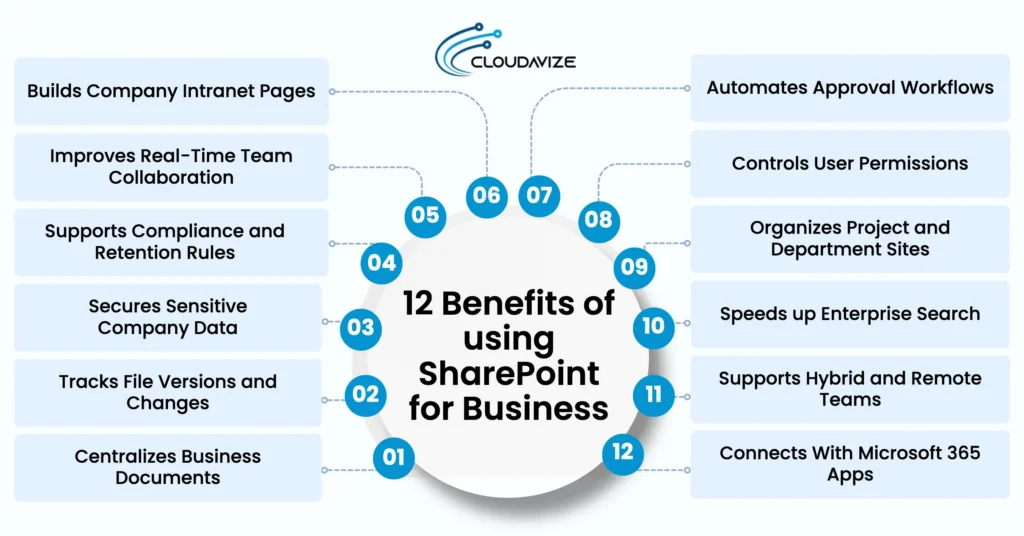
- Centralizes Business Documents
- Tracks File Versions and Changes
- Secures Sensitive Company Data
- Supports Compliance and Retention Rules
- Improves Real-Time Team Collaboration
- Builds Company Intranet Pages
- Automates Approval Workflows
- Controls User Permissions
- Organizes Project and Department Sites
- Speeds up Enterprise Search
- Supports Hybrid and Remote Teams
- Connects With Microsoft 365 Apps
Centralizes Business Documents
SharePoint centralizes documents of small and mid-sized businesses by storing files in a single, secure platform rather than in scattered folders or email attachments. It eliminates scattered files and ensures SMB teams always access the correct, most up-to-date version. According to Gartner, 70% to 90% of enterprise data is unstructured, and without a central platform to index it, the data remains dark, unsearchable, unmanaged, and inaccessible to AI or automated workflows. Teams can co-author documents in real time, with automatic version tracking keeping changes organized and up to date.
Metadata tags and AI-driven search help SMB employees quickly find documents, reducing time spent searching for information. SharePoint streamlines approvals through built-in workflows, protects sensitive files with role-based permissions, and integrates with Microsoft 365 apps like Teams and Outlook for secure collaboration and centralized content management. MSPs often help SMBs implement and configure SharePoint for optimal structure and governance.
Tracks File Versions and Changes
Businesses rely on accurate document records, and SharePoint streamlines document management by providing secure, centralized storage. It tracks file versions and changes to help SMBs maintain document integrity and accountability. According to IDC, knowledge workers spend about 2.5 hours a day, almost 30% of their workday, searching for information. Automatic version history saves a new version whenever a document is edited, creating a complete record of every change over time.
Users can restore previous versions quickly if unwanted edits occur or information is lost, reducing the risk of data loss and supporting business continuity. Audit logs record who changed a file, what changed, and when, helping organizations monitor document activity and support compliance requirements. These capabilities improve accountability, simplify collaboration, strengthen governance, enable reliable document management, and give teams confidence in reviewing revisions and recovering important content every day.
Secures Sensitive Company Data
SMBs handle confidential information every day, making strong data protection a priority. SharePoint protects sensitive company data through encryption, role-based access controls, and compliance tools that meet regulatory standards. Granular permissions manage access at the file, folder, and site levels, ensuring only authorized employees can view or edit confidential content. According to the IBM Cost of a Data Breach Report 2025, the global average cost of a data breach is $4.44 million, while breaches in the United States reached a record $10.22 million, highlighting the importance of robust security controls.
SharePoint encrypts data both in transit and at rest, protecting information during storage and sharing across Microsoft 365. It also supports GDPR and HIPAA compliance through audit logs, data loss prevention policies, and secure document management, often configured by MSPs supporting SMB environments. These capabilities reduce security risks and protect confidential business content.
Supports Compliance and Retention Rules
Meeting compliance requirements becomes easier for SMBs with SharePoint’s automated governance and records management capabilities, often managed by MSPs. It minimizes data sprawl while offering robust security controls, helping organizations protect intellectual property and streamline their daily operations. Automated retention policies determine how long documents and records are stored, helping meet legal and industry-specific retention requirements while reducing manual administration. Detailed audit trails record document edits, access, downloads, and sharing activities, creating a complete history for compliance reporting, internal reviews, and regulatory audits.
Legal hold and eDiscovery features preserve relevant documents during investigations, audits, or litigation and enable authorized users to locate required content quickly across SMB environments. These capabilities reduce legal risk, strengthen regulatory compliance, improve records management, support defensible information governance, simplify regulatory reporting, and protect sensitive business information throughout its lifecycle, while MSPs help ensure secure, organization-wide collaboration.
Improves Real-Time Team Collaboration
Real-time collaboration within SMBs becomes more efficient with SharePoint’s centralized cloud workspace, which improves team collaboration by allowing multiple users to edit documents simultaneously, eliminating version-control confusion and reducing the need to email file attachments. Forrester Research has shown that when people collaborate and share content in the cloud rather than emailing attachments, they can save up to 100 minutes per week. Live document editing and automatic version history keep teams aligned, track every change, restore previous versions, reduce delays, and improve collaboration, accountability, and project coordination.
Secure external collaboration lets small and mid-sized businesses share files with clients and partners while maintaining control through permission settings and security policies. Seamless integration with Microsoft 365 applications, including Teams and Outlook, allows users to communicate, share documents, and manage tasks from a unified workspace. These capabilities improve productivity, accelerate project delivery, and strengthen collaboration across distributed teams.
Builds Company Intranet Pages
Internal communication becomes more efficient for SMBs with SharePoint’s customizable intranet pages, creating a central hub for employees, teams, and departments. Customizable templates allow organizations to build branded team sites and communication pages that reflect their structure and operational needs. SharePoint integrates with Microsoft 365 applications, including Teams, Outlook, and OneDrive, giving employees seamless access to shared documents, calendars, conversations, and workplace resources. It drives business productivity by streamlining document management, enabling real-time collaboration, and providing a scalable infrastructure that adapts as organizational needs grow.
Centralized intranet pages bring company news, policies, procedures, announcements, and business resources into one accessible location. Employees spend less time searching for information and more time completing meaningful work. These capabilities strengthen internal communication, improve knowledge sharing, increase employee engagement, support cross-departmental collaboration, and create a connected digital workplace for SMBs, often enabled by MSP-managed intranet solutions.
Automates Approval Workflows
Approval processes become faster and more consistent through SharePoint’s automated workflows, which route documents to the appropriate reviewers or managers based on predefined approval rules, reducing manual effort and streamlining document reviews. Real-time notifications alert employees whenever their review or approval is required, helping SMB teams respond quickly, avoid bottlenecks, and keep business processes moving without constant follow-ups. Automated routing also minimizes errors and ensures every document follows a standardized review path.
SharePoint integrates seamlessly with Microsoft 365 applications, including Teams and Outlook, allowing users to review, approve, and manage requests from familiar tools. When combined with Power Automate for SharePoint-based workflows, organizations can further streamline approvals and repetitive business processes. A Forrester Consulting study found that organizations deploying Power Automate for SharePoint-based workflows achieved a 248% return on investment over three years. These capabilities accelerate decision-making, improve operational efficiency, strengthen process consistency, and reduce administrative effort
Controls User Permissions
SharePoint allows seamless, real-time teamwork in small and mid-sized businesses while safeguarding sensitive business data through granular, role-based permissions that ensure only authorized users can access the information they need. It assigns permissions based on user roles, giving Site Owners Full Control to manage settings and content, Members Edit or Contribute access to work with documents and lists, Visitors Read-only access, and Limited Access users permission to specific files or folders without exposing the entire site. This structured access model protects confidential information while supporting secure collaboration across departments.
The principle of least privilege ensures employees receive only the minimum access required for their responsibilities, reducing security risks and preventing accidental deletion or unauthorized changes. Department-specific permission settings strengthen governance, support regulatory compliance, protect intellectual property, improve information management, and help MSPs maintain secure and controlled SharePoint deployments for SMBs.
Organizes Project and Department Sites
Project and department collaboration becomes more efficient with dedicated SharePoint sites that provide centralized workspaces for managing documents, tasks, communications, and shared resources in SMBs. Dedicated team sites give each department a structured environment to organize project files, coordinate activities, and collaborate without information silos. Customizable site templates allow organizations to create workspaces that align with departmental processes, branding, and operational requirements, ensuring consistency across teams while simplifying content management.
Integration with Microsoft 365 applications, including Teams, Outlook, and OneDrive, enables real-time document sharing, project tracking, communication, and task management from familiar tools. These capabilities improve project visibility, strengthen departmental coordination, simplify knowledge sharing, reduce duplicate content, accelerate decision-making, support consistent workflows, enhance operational efficiency, and help SMBs scale collaboration while MSPs ensure proper deployment and maintenance.
Speeds up Enterprise Search
Enterprise search becomes faster and more accurate with SharePoint’s AI-powered search capabilities, helping employees locate documents, sites, and business information in seconds. AI-driven search analyzes content, metadata, and user context to deliver highly relevant results across the platform. Metadata tagging assigns descriptive labels to files, allowing users to filter, sort, and refine search results instead of browsing complex folder structures. Unique document IDs ensure files remain easy to locate even after they are moved or renamed, eliminating confusion and directing users to the correct version.
These intelligent search capabilities reduce the time employees spend searching for information, improve productivity, and simplify knowledge discovery across large document libraries that are implemented or optimized by MSPs. Faster access to accurate content supports better decision-making, strengthens cross-departmental collaboration, reduces duplicate work, and enables teams to work more efficiently from a centralized, searchable information repository.
Supports Hybrid and Remote Teams
Hybrid and remote teams collaborate more effectively with SharePoint’s secure, centralized cloud workspace, which provides anytime access to documents, business resources, and shared knowledge. It serves as a centralized information hub for company policies, news, and important files, making information easier to find across distributed teams. Research from the McKinsey Global Institute shows that knowledge workers spend approximately 20% of their workweek, nearly one full day, searching for and gathering information. Simultaneous document editing and customizable team sites reduce delays by giving every project team a dedicated collaborative workspace.
Integration with Microsoft Teams, OneDrive, and Microsoft 365 applications enables seamless file sharing, communication, and unified workflows. Enterprise-grade security, including multi-factor authentication and granular access controls, protects sensitive business information while supporting secure remote access. These capabilities improve productivity, strengthen collaboration, and support efficient hybrid work.
Connects With Microsoft 365 Apps
Microsoft 365 integration becomes more powerful with SharePoint, connecting documents, conversations, and business content across familiar applications. Real-time co-authoring lets teams edit Word, Excel, and PowerPoint files simultaneously, eliminating version conflicts and improving collaboration. According to Microsoft, more than 200,000 organizations and 190 million people use SharePoint for intranets, team sites, and content management. SharePoint also synchronizes with Microsoft Teams, enabling secure file storage, sharing, and collaboration directly within team workspaces.
Users can share documents through Outlook using secure links, improving internal and external collaboration while maintaining security. AI-powered Copilot summarizes documents, answers questions, and improves search accuracy across stored content. Robust version control preserves file history, allowing teams to track changes, restore previous versions, and maintain document integrity. These integrations streamline workflows, improve productivity, strengthen governance, and support consistent collaboration across organizations.
What Are the Benefits of SharePoint for Different Types of Businesses?
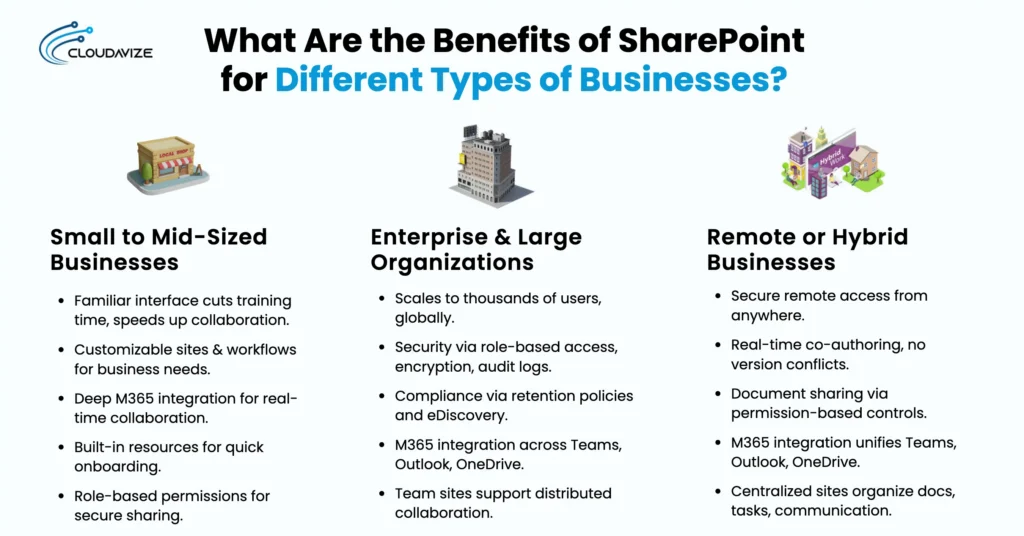
SharePoint delivers business-specific benefits by adapting to different operational needs. Small and mid-sized businesses gain simpler collaboration and document management, enterprise organizations benefit from scalable governance and security, while remote and hybrid businesses improve productivity through secure cloud access and real-time collaboration. This flexibility makes SharePoint a practical platform for organizations of all sizes and work models.
What are the Benefits of SharePoint for Small to Mid-Sized Businesses ( SMBs)?
The benefits of SharePoint for small to mid-sized businesses (SMBs) include streamlined collaboration, improved document organization, and more efficient daily operations through a centralized platform. Its familiar interface, Microsoft 365 integration, customizable workflows, and secure document sharing improve productivity while simplifying information management.
Key benefits of SharePoint for SMBs include:
- User Adoption reduces training time by helping employees quickly use SharePoint’s familiar interface for collaboration and document management.
- Customization adapts team sites, workflows, and document libraries to business needs, enabling automated approvals and tailored workspaces.
- Microsoft 365 Integration enables real-time collaboration across Word, Excel, Outlook, Teams, and SharePoint Online, enabling seamless communication and file sharing.
- Training and Support help employees onboard quickly through built-in learning resources and guided features.
- Secure Document Sharing protects sensitive files with role-based permissions while enabling safe sharing both internally and externally.
What are the Benefits of SharePoint for Enterprise & Large Organizations?
The benefits of SharePoint for enterprise and large organizations include centralized collaboration, secure content management, regulatory compliance, Microsoft 365 integration, and scalable document management. These capabilities help organizations improve productivity, streamline workflows, strengthen governance, and enable employees across multiple departments and global locations to collaborate efficiently while supporting long-term business growth.
Key benefits of SharePoint for enterprise and large organizations include:
- Scalability supports thousands of users, large volumes of content, and global operations.
- Advanced security controls protect sensitive business data through role-based access, encryption, and audit logs.
- Compliance and governance help organizations meet regulatory requirements with retention policies and eDiscovery.
- Microsoft 365 integration enables seamless collaboration through Teams, Outlook, OneDrive, and other familiar applications.
- Collaboration at scale supports team sites, department portals, and project workspaces across distributed teams.
What are the Benefits of SharePoint for Remote or Hybrid Businesses?
The benefits of SharePoint for remote or hybrid businesses include secure cloud-based file access, real-time collaboration, controlled document sharing, Microsoft 365 integration, and centralized team sites for managing work across distributed teams. These capabilities help remote and hybrid teams stay connected, improve productivity, and ensure secure, efficient access to business information from anywhere.
The benefits of SharePoint for remote and hybrid businesses are:
- Secure remote access allows employees to access documents and business resources from anywhere.
- Real-time collaboration enables teams to co-author documents without version conflicts.
- Secure document sharing protects sensitive information through permission-based access controls.
- Microsoft 365 integration connects Teams, Outlook, OneDrive, and SharePoint into a unified workspace.
- Centralized team sites organize documents, tasks, and communications in one accessible location.
What Are the Top Business Use Cases of SharePoint?
The top business use cases for SharePoint include intranet portals for company communication, knowledge bases for quick access to information, project tracking through team sites, automated purchase requests and internal tickets, employee resource hubs, and policy or SOP libraries for compliance management. These uses improve collaboration, efficiency, and centralized access to information for organizations.
Below are the 6 business use cases of SharePoint:
- SharePoint as an Intranet
An internal intranet built with SharePoint provides employees with a secure place to access company news, documents, announcements, and team sites. Centralized communication improves collaboration, keeps teams informed, and simplifies information sharing across departments. - SharePoint as a Knowledge Base
Knowledge bases become easier to manage with SharePoint’s searchable document libraries, metadata tagging, and advanced search capabilities. Employees can quickly find policies, procedures, onboarding guides, and FAQs, reducing search time and improving knowledge sharing. - SharePoint for Project Tracking
Project management is simplified through centralized team sites, task lists, shared calendars, and Microsoft 365 integration. Teams can assign responsibilities, monitor progress, share documents, and keep projects on schedule from a single workspace. - SharePoint for Purchase Requests and Internal Tickets
Automated forms and approval workflows help organizations manage purchase requests and internal support tickets more efficiently. Requests are routed to the right approvers, tracked automatically, and resolved faster with complete visibility. - SharePoint for Employee Resource Hubs
A centralized employee portal gives staff quick access to HR documents, company policies, onboarding materials, announcements, and business resources. Self-service access reduces administrative workload while improving employee engagement and productivity. - SharePoint for Policy and SOP Libraries
Policy and SOP libraries organize compliance documents, procedures, and operational guidelines using version control, permissions, and advanced search. Employees always access the latest approved documents, helping organizations maintain governance and regulatory compliance.
Tips for Using SharePoint Effectively in Business
Businesses maximize SharePoint by organizing content with metadata, enabling version history, supporting real-time co-authoring, automating workflows, and using purpose-built sites to manage information efficiently. SharePoint consulting services help implement governance, strengthen security, standardize configurations, and ensure that these best practices deliver consistent, long-term business value across the organization.
Tips for using SharePoint effectively in business are:
- Use Metadata and Tags Instead of Deep Folders: Organize documents with metadata and tags to improve search, filtering, automation, and document discovery without creating complex folder structures.
- Enable Version History for File Tracking: Track document changes automatically, restore previous versions, recover lost content, and maintain accountability with a complete edit history.
- Co-Author Office Files Directly in SharePoint: Allow multiple users to edit Word, Excel, and PowerPoint files simultaneously, improving collaboration while preventing version conflicts and duplicate copies.
- Share Direct Links Instead of Email Attachments: Share secure document links so everyone works from the latest file, reducing duplicate attachments and version confusion.
- Replace Excel Trackers With SharePoint Lists: Manage business data through SharePoint Lists for real-time updates, better collaboration, improved permissions, and accurate information tracking.
- Automate Approvals and Alerts With Power Automate: Streamline approvals, notifications, and repetitive tasks using automated workflows that improve efficiency and reduce manual administrative effort.
- Separate Sites by Purpose: Publishing, Filing, Collaboration: Create dedicated sites for publishing, document storage, and teamwork to improve organization, security, and user experience.
- Use Hub Sites and Templates for Consistency: Standardize navigation, branding, and site structure with Hub Sites and templates for easier management and a consistent user experience.