
Top 10 Ways OneDrive Benefits Your Business

The top benefits of OneDrive for business include scalable cloud storage, real-time collaboration, secure file access from anywhere, automatic file syncing, PC folder backup, enterprise security controls, safe external sharing, version history and file recovery, ransomware protection, and compliance and data governance. These capabilities help businesses securely store, access, manage, and share information while improving productivity and supporting business continuity.
As part of Microsoft 365, OneDrive integrates with Word, Excel, PowerPoint, Teams, and SharePoint, creating a connected workspace that supports remote, hybrid, and in-office employees. Managed service providers (MSPs) often support organizations in deploying and managing these capabilities, while a OneDrive consultant can assist with configuration and optimization for specific business needs.
Beyond collaboration and accessibility, OneDrive strengthens business resilience through encryption, access controls, ransomware detection, recovery tools, and governance features. Automatic syncing, centralized file management, and scalable storage simplify daily operations, while secure sharing improves collaboration with employees, clients, vendors, and partners. Whether supporting startups, SMBs, local businesses, or large enterprises, OneDrive provides a flexible cloud platform that grows alongside business requirements.
The 10 top ways OneDrive benefits your business are:
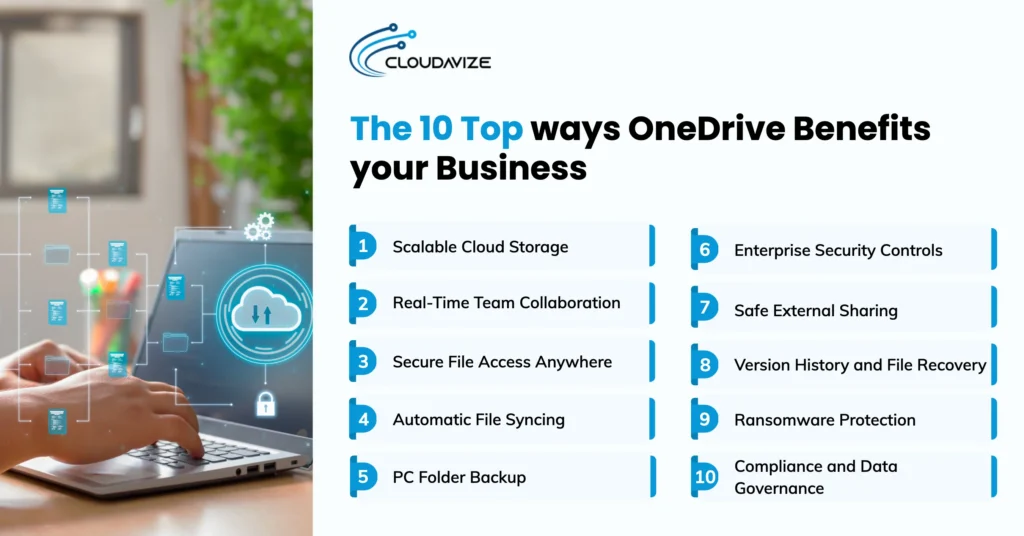
- Scalable Cloud Storage
- Real-Time Team Collaboration
- Secure File Access Anywhere
- Automatic File Syncing
- PC Folder Backup
- Enterprise Security Controls
- Safe External Sharing
- Version History and File Recovery
- Ransomware Protection
- Compliance and Data Governance
Scalable Cloud Storage
OneDrive provides scalable cloud storage that helps SMBs securely manage growing volumes of files, documents, and project data. It allows SMBs to store, access, and organize content in the cloud without relying on physical hardware or fixed storage limits, making it easier to support business growth and remote access. The global cloud computing market generated $752.4 billion in revenue in 2024 (source: Grand View Research), highlighting the strong demand for flexible, cloud-based storage solutions that scale with modern business needs. MSPs help SMBs deploy and manage OneDrive environments, ensuring secure configuration, efficient storage usage, and alignment with organizational requirements.
Integration with Microsoft 365 apps enables teams to save, share, and collaborate on files directly from Word, Excel, PowerPoint, and Teams. This improves workflow efficiency, enhances real-time collaboration, and ensures employees can securely access and manage documents from any device or location while maintaining consistent productivity across SMB operations.
Real-Time Team Collaboration
By enabling real-time co-authoring, OneDrive allows SMBs to work on the same document simultaneously, with updates appearing instantly for all contributors. This reduces version conflicts, eliminates lengthy email chains, and ensures teams always work from the latest file. A senior vice president of customer-facing technology at a financial services company interviewed by Forrester reported that OneDrive for Business contributed to a 50% faster document turnaround through its co-authoring capabilities. For small and medium-sized businesses, these benefits are amplified through Microsoft 365 for Business, which combines connected productivity applications, unified workflows, and scalable cloud infrastructure.
OneDrive also supports secure file distribution through customizable permissions and direct integration with Word, Excel, PowerPoint, and Teams. Employees can work across devices while maintaining appropriate access controls, helping organizations improve coordination, speed decision-making, and support distributed work environments.
Secure File Access Anywhere
Secure access to files is essential for small and medium-sized businesses, and OneDrive enables teams to access, share, and collaborate on documents from anywhere. Encryption protects business data both in transit and at rest, helping reduce the risk of unauthorized access. For sensitive information, Personal Vault provides an additional safeguard through two-factor authentication. Together, these features help SMBs protect confidential information while supporting remote work, hybrid operations, and distributed teams.
Cloud-based backup capabilities ensure important files remain available even when a device is lost, damaged, or replaced. Granular access controls allow administrators to determine who can view, edit, or share specific content, helping maintain privacy and regulatory compliance. Built-in security and recovery capabilities help SMBs maintain business continuity by ensuring critical data remains secure, accessible, and recoverable across devices and locations.
Automatic File Syncing
With OneDrive’s automatic file syncing, SMBs can ensure employees always have access to the latest version of a document, regardless of the device they use. When changes are made or new content is uploaded, OneDrive updates files in real time across connected desktops, laptops, tablets, and smartphones. This eliminates manual file transfers and reduces version confusion, allowing teams to work with accurate, up-to-date information. As a result, projects move forward more efficiently, and employees spend less time searching for updated documents.
Productivity remains uninterrupted even when internet access is unavailable. OneDrive allows users to work on files offline and automatically synchronizes changes once a connection is restored. This capability supports flexible work environments and mobile workforces while maintaining consistency across devices. By keeping information synchronized and readily available, OneDrive helps businesses streamline workflows and improve operational efficiency.
PC Folder Backup
OneDrive PC Folder Backup automatically saves important folders, including Desktop, Documents, and Pictures, to the cloud, ensuring business files remain protected and accessible across devices. This capability reduces the risk of data loss caused by hardware failure, accidental deletion, or device theft while eliminating the need for manual backups. Users can recover deleted files and restore earlier versions to maintain continuity when changes occur unintentionally. For SMBs, these features provide a practical way to safeguard day-to-day business information and keep critical documents readily available.
While PC Folder Backup improves data protection, it is not a replacement for a dedicated backup solution. Features such as point-in-time system restores and extended retention periods remain limited. Many businesses work with an MSP to enhance OneDrive backup capabilities, including disaster recovery and long-term data retention, to support compliance and operational requirements.
Enterprise Security Controls
Company files stored in OneDrive storage are protected through encryption at rest and in transit, ensuring secure handling during storage, upload, and download. Each user receives 1 TB of cloud storage, which can scale to 5 TB or more depending on enterprise licensing plans such as Microsoft 365 E3 or E5. Files are encrypted at rest and in transit, with BitLocker and file-level encryption ensuring secure access. Built-in ransomware detection flags suspicious activity and allows file recovery within 30 days, helping prevent permanent data loss. MSPs often help organizations configure these protections and monitor compliance across users.
Additional protections include virus scanning on downloads, multi-factor authentication, strong password policies, and granular administrative controls. Administrators can manage permissions, monitor user activity, and restrict sharing to support compliance requirements. Together, these capabilities help businesses reduce cyber risks while maintaining secure access to critical information.
Safe External Sharing
Small and mid-sized businesses can use OneDrive to securely share files and folders with clients, vendors, contractors, and other external stakeholders without sacrificing control over sensitive information. Access can be granted via secure sharing links or assigned to specific individuals, ensuring that only authorized users can view, edit, or interact with the content. Files remain private by default until sharing permissions are applied, helping reduce data exposure risks, with MSPs assisting in secure sharing and access setup.
Security controls extend beyond basic sharing permissions. Administrators and users can restrict editing, downloading, or further distribution of shared content while maintaining visibility into external access and usage. These capabilities help businesses collaborate more confidently with external partners while supporting privacy requirements, regulatory compliance, and governance standards. As a result, organizations can share information efficiently without compromising data security.
Version History and File Recovery
Accidental deletions, unwanted edits, and file corruption can disrupt business operations, but OneDrive helps SMBS recover quickly through built-in version history and file recovery capabilities. Users can restore earlier versions of documents, spreadsheets, presentations, and other file types, ensuring important information remains accessible when mistakes occur. Instead of recreating lost work, teams can revert files to a previous state, reducing downtime and maintaining workflow continuity.
Microsoft 365 subscribers can also use the “Restore your OneDrive” feature to recover an entire OneDrive account to a previous point within the last 30 days following incidents such as ransomware attacks or mass file deletions. Work and school accounts can retain up to 500 versions of files, providing an additional layer of protection against accidental changes. These capabilities help businesses strengthen data protection, improve resilience, and maintain continuity during unexpected events.
Ransomware Protection
Ransomware attacks can lock access to critical business files and bring daily operations to a halt, and the threat continues to grow, but with OneDrive, SMBs can restore affected files using built-in recovery and version history features. Microsoft reported a 275% year-over-year increase in ransomware attacks targeting its customers in 2024, underscoring the importance of robust data protection strategies. OneDrive also provides ransomware detection and automated alerts that notify users when suspicious activity is identified.
Combined with version history and file recovery, these capabilities help organizations restore clean versions of files, reduce disruption, and maintain operational continuity after an attack. Antivirus software and endpoint security solutions remain essential for blocking threats before they reach business systems. Together, these protections strengthen resilience and reduce operational risk. This added layer of protection helps businesses recover with greater confidence.
Compliance and Data Governance
OneDrive, as part of Microsoft 365, helps small and medium-sized businesses meet regulatory requirements by supporting compliance frameworks such as GDPR, HIPAA, and CCPA. Built-in governance capabilities, including Microsoft Purview Information Protection, enable organizations to identify, classify, and safeguard sensitive data stored within OneDrive. These tools help businesses control access to confidential information and reduce the risk of unauthorized sharing across users and devices. MSPs often play a key role in implementing and managing these compliance and governance frameworks for SMBs.
Governance features such as automated data classification, policy enforcement, and audit trails strengthen security while simplifying compliance management. Businesses can track data activity, apply consistent protection policies, and demonstrate compliance during regulatory audits. By improving visibility and control over business information, OneDrive helps organizations reduce compliance risks, protect sensitive data, and support secure collaboration across their cloud environment.
What Are the Benefits of OneDrive for Startups?
The benefits of OneDrive for startups include scalable cloud storage, anywhere access for remote and mobile work, real-time file syncing across Microsoft 365 apps, and built-in security features like encryption and access controls. It also enables centralized collaboration for sharing and co-authoring documents, while Microsoft 365 integration streamlines productivity and communication. MSPs often help with deployment and optimization for secure, efficient use.
6 benefits of OneDrive for startups are:
- Scalable cloud storage that grows alongside business requirements.
- Anywhere access that supports remote and mobile workforces.
- Real-time file synchronization across OneDrive, Microsoft Teams, and SharePoint.
- Built-in security features include encryption, access controls, and data protection.
- Centralized collaboration that allows teams to share, edit, and co-author documents efficiently.
- Microsoft 365 integration that streamlines productivity and communication workflows.
What Are the Benefits of OneDrive for Small Businesses?
The benefits of OneDrive for small businesses include secure cloud storage, remote file access, real-time collaboration, Microsoft 365 integration, centralized data management, and scalable storage. It enables teams to store and access files across multiple devices, supporting flexible work without physical infrastructure. Its cloud-based model reduces maintenance as syncing, updates, backups, and security are managed by Microsoft. MSP support often enhances these capabilities through proper setup, security configuration, and ongoing cloud management.
6 Key benefits of OneDrive for small businesses include:
- Secure file storage with encryption and access controls.
- Anywhere access for remote and hybrid employees.
- Real-time co-authoring to reduce version conflicts.
- Microsoft 365 integration with Word, Excel, PowerPoint, and Teams.
- Centralized file management for better organization.
- Scalable storage that grows with business needs.
What Are the Benefits of OneDrive for Large Enterprises?
The benefits of OneDrive for large enterprises include centralized data management, scalable cloud storage, enterprise-wide collaboration, secure remote access, and Microsoft 365 integration. It enables organizations to manage large volumes of data across departments and locations through a single secure platform, allowing employees to access and share files from any device. Integration with Microsoft Teams and SharePoint streamlines collaboration. MSPs often assist enterprises with deployment, security configuration, and ongoing management to ensure optimal performance and compliance.
Below are the 7 benefits of OneDrive for large enterprises:
- Centralized data storage that reduces information silos.
- Scalable cloud storage that supports growing data requirements.
- Anywhere access across desktops, laptops, tablets, and smartphones.
- Real-time collaboration on documents, spreadsheets, and presentations.
- File synchronization across OneDrive, Teams, and SharePoint.
- Enterprise-grade security, compliance, and access controls.
- Improved productivity through unified document workflows.
What Are the Benefits of OneDrive for Local Businesses?
The benefits of OneDrive for local businesses include secure file storage, simplified file management, Microsoft 365 integration, scalable cloud storage, and controlled file sharing. It enables retail, accounting, healthcare, and service-based organizations to securely access, manage, and collaborate on business data without investing in costly infrastructure. For many local businesses, these capabilities are further supported by a OneDrive consultant who helps with deployment, security configuration, user management, and ongoing support.
Key benefits of OneDrive for local businesses include:
- Secure file storage protected by encryption and access controls.
- Microsoft 365 integration with Word, Excel, PowerPoint, and Teams.
- Easy file storage and organization across devices.
- Scalable cloud storage with up to 1 TB of storage per user.
- Controlled file sharing with customizable permissions.
- Improved collaboration between employees, clients, vendors, and business partners.
- Reduced reliance on physical storage infrastructure and manual file management.